Compare commits
1 Commits
codex/rede
...
demo
| Author | SHA1 | Date | |
|---|---|---|---|

|
399e709d1d |
5
.github/ISSUE_TEMPLATE/config.yml
vendored
@@ -1,5 +0,0 @@
|
||||
blank_issues_enabled: false
|
||||
contact_links:
|
||||
- name: "Security Report / 安全漏洞报告"
|
||||
url: "https://github.com/kekingcn/kkFileView/security/advisories/new"
|
||||
about: "For sensitive security issues, please use private security report. / 涉及敏感安全问题请使用私密安全报告。"
|
||||
76
.github/ISSUE_TEMPLATE/feature-request.yml
vendored
@@ -1,76 +0,0 @@
|
||||
name: "Feature Request / 功能建议"
|
||||
description: "Propose a new feature with clear use case and acceptance criteria. / 提交功能建议,请明确场景与验收标准。"
|
||||
title: "[FEATURE] "
|
||||
labels: ["type/feature", "priority/p2", "status/needs-info"]
|
||||
body:
|
||||
- type: markdown
|
||||
attributes:
|
||||
value: |
|
||||
Thanks for your idea! / 感谢你的建议!
|
||||
|
||||
Please provide concrete business scenarios and the expected behavior.
|
||||
请尽量提供明确业务场景和期望行为,便于评估优先级与实现方案。
|
||||
|
||||
For urgent production issues, you can use our Knowledge Planet channel for faster processing:
|
||||
https://wx.zsxq.com/group/48844125114258
|
||||
如为线上紧急问题,可通过知识星球渠道加速处理:
|
||||
https://wx.zsxq.com/group/48844125114258
|
||||
|
||||
- type: textarea
|
||||
id: background
|
||||
attributes:
|
||||
label: "Background / 背景"
|
||||
description: "What problem are you trying to solve? / 你要解决什么问题?"
|
||||
placeholder: "Describe current pain points... / 描述当前痛点..."
|
||||
validations:
|
||||
required: true
|
||||
|
||||
- type: textarea
|
||||
id: proposal
|
||||
attributes:
|
||||
label: "Proposal / 建议方案"
|
||||
description: "What do you expect kkFileView to support? / 期望 kkFileView 支持什么?"
|
||||
placeholder: "Describe expected feature behavior... / 描述期望功能行为..."
|
||||
validations:
|
||||
required: true
|
||||
|
||||
- type: textarea
|
||||
id: use_case
|
||||
attributes:
|
||||
label: "Use Case / 使用场景"
|
||||
description: "Provide 1-3 concrete scenarios. / 提供 1-3 个具体场景"
|
||||
placeholder: |
|
||||
Scenario 1:
|
||||
Scenario 2:
|
||||
validations:
|
||||
required: true
|
||||
|
||||
- type: textarea
|
||||
id: alternatives
|
||||
attributes:
|
||||
label: "Alternatives / 备选方案"
|
||||
description: "What alternatives have you considered? / 是否考虑过替代方案?"
|
||||
placeholder: "Existing workaround or alternative... / 当前替代做法..."
|
||||
validations:
|
||||
required: false
|
||||
|
||||
- type: textarea
|
||||
id: acceptance
|
||||
attributes:
|
||||
label: "Acceptance Criteria / 验收标准"
|
||||
description: "How do we know this feature is done? / 如何判断该功能完成?"
|
||||
placeholder: |
|
||||
- [ ] Criterion 1
|
||||
- [ ] Criterion 2
|
||||
validations:
|
||||
required: true
|
||||
|
||||
- type: checkboxes
|
||||
id: checklist
|
||||
attributes:
|
||||
label: "Checklist / 提交前检查"
|
||||
options:
|
||||
- label: "I have searched existing issues and did not find a duplicate feature request. / 我已搜索现有 issue,未发现重复功能建议"
|
||||
required: true
|
||||
- label: "I provided concrete use cases and expected behavior. / 我已提供具体使用场景和期望行为"
|
||||
required: true
|
||||
121
.github/ISSUE_TEMPLATE/issue-report.yml
vendored
@@ -1,121 +0,0 @@
|
||||
name: "Issue Report / 问题反馈"
|
||||
description: "Please provide complete required information to help us reproduce and follow up. / 请完整填写必填信息,便于复现与跟进。"
|
||||
title: "[ISSUE] "
|
||||
labels: ["status/needs-info"]
|
||||
body:
|
||||
- type: markdown
|
||||
attributes:
|
||||
value: |
|
||||
Thanks for your report! / 感谢反馈!
|
||||
|
||||
**Please fill in all required fields.**
|
||||
**请完整填写所有必填项。**
|
||||
|
||||
Incomplete issues may be closed and asked to resubmit.
|
||||
信息不完整的问题可能会被关闭并要求重新提交。
|
||||
|
||||
For urgent production issues, you can use our Knowledge Planet channel for faster processing:
|
||||
https://wx.zsxq.com/group/48844125114258
|
||||
如为线上紧急问题,可通过知识星球渠道加速处理:
|
||||
https://wx.zsxq.com/group/48844125114258
|
||||
|
||||
- type: dropdown
|
||||
id: issue_type
|
||||
attributes:
|
||||
label: "Issue Type / 问题类型"
|
||||
description: "Select the closest type. / 请选择最接近的问题类型"
|
||||
options:
|
||||
- "Bug / 缺陷"
|
||||
- "Performance / 性能问题"
|
||||
- "Security / 安全问题"
|
||||
- "Question / 使用咨询"
|
||||
validations:
|
||||
required: true
|
||||
|
||||
- type: input
|
||||
id: kkfileview_version
|
||||
attributes:
|
||||
label: "kkFileView Version / kkFileView 版本"
|
||||
placeholder: "e.g. 4.4.0"
|
||||
validations:
|
||||
required: true
|
||||
|
||||
- type: input
|
||||
id: deploy_mode
|
||||
attributes:
|
||||
label: "Deployment Mode / 部署方式"
|
||||
description: "jar / docker / k8s / source, etc. / jar / docker / k8s / 源码部署等"
|
||||
placeholder: "e.g. docker"
|
||||
validations:
|
||||
required: true
|
||||
|
||||
- type: textarea
|
||||
id: environment
|
||||
attributes:
|
||||
label: "Environment / 环境信息"
|
||||
description: "OS, JDK, LibreOffice/OpenOffice, browser, reverse proxy, etc. / 操作系统、JDK、Office组件、浏览器、反向代理等"
|
||||
placeholder: |
|
||||
- OS:
|
||||
- JDK:
|
||||
- LibreOffice/OpenOffice:
|
||||
- Browser:
|
||||
- Proxy (Nginx/Ingress):
|
||||
validations:
|
||||
required: true
|
||||
|
||||
- type: textarea
|
||||
id: reproduce_steps
|
||||
attributes:
|
||||
label: "Steps to Reproduce / 复现步骤"
|
||||
description: "Provide clear, minimal, reproducible steps. / 提供清晰、最小可复现步骤"
|
||||
placeholder: |
|
||||
1) ...
|
||||
2) ...
|
||||
3) ...
|
||||
validations:
|
||||
required: true
|
||||
|
||||
- type: textarea
|
||||
id: expected_result
|
||||
attributes:
|
||||
label: "Expected Result / 期望结果"
|
||||
placeholder: "What should happen? / 期望实际应该出现什么结果?"
|
||||
validations:
|
||||
required: true
|
||||
|
||||
- type: textarea
|
||||
id: actual_result
|
||||
attributes:
|
||||
label: "Actual Result / 实际结果"
|
||||
placeholder: "What happened instead? / 实际发生了什么?"
|
||||
validations:
|
||||
required: true
|
||||
|
||||
- type: textarea
|
||||
id: logs
|
||||
attributes:
|
||||
label: "Logs & Screenshots / 日志与截图"
|
||||
description: "Paste key logs/error stack and attach screenshots (mask sensitive data). / 粘贴关键日志或异常堆栈,并上传截图(请脱敏)"
|
||||
render: shell
|
||||
validations:
|
||||
required: true
|
||||
|
||||
- type: textarea
|
||||
id: sample_file
|
||||
attributes:
|
||||
label: "Sample File / 样例文件(可选)"
|
||||
description: "If possible, provide a minimal sample file or reproducible URL (desensitized). / 如可提供,请附最小样例文件或可复现 URL(脱敏)"
|
||||
validations:
|
||||
required: false
|
||||
|
||||
- type: checkboxes
|
||||
id: checklist
|
||||
attributes:
|
||||
label: "Checklist / 提交前检查"
|
||||
options:
|
||||
- label: "I have searched existing issues and did not find a duplicate. / 我已搜索现有 issue,未发现重复问题"
|
||||
required: true
|
||||
- label: "I can reproduce this issue on the stated version/environment. / 我可在上述版本与环境复现该问题"
|
||||
required: true
|
||||
- label: "I have masked sensitive information in logs/screenshots. / 我已对日志与截图中的敏感信息做脱敏处理"
|
||||
required: true
|
||||
78
.github/workflows/auto-close-old-issues.yml
vendored
@@ -1,78 +0,0 @@
|
||||
name: Auto Close Old Issues (1y)
|
||||
|
||||
on:
|
||||
schedule:
|
||||
# Daily at 02:20 UTC
|
||||
- cron: '20 2 * * *'
|
||||
workflow_dispatch:
|
||||
|
||||
permissions:
|
||||
issues: write
|
||||
|
||||
jobs:
|
||||
close_old_issues:
|
||||
runs-on: ubuntu-latest
|
||||
steps:
|
||||
- name: Close issues older than 1 year
|
||||
uses: actions/github-script@v7
|
||||
with:
|
||||
script: |
|
||||
const owner = context.repo.owner;
|
||||
const repo = context.repo.repo;
|
||||
const now = new Date();
|
||||
const cutoff = new Date(now.getTime() - 365 * 24 * 60 * 60 * 1000);
|
||||
|
||||
const closeComment = `该 Issue 已超过 1 年未活跃,为便于维护当前问题队列,先做关闭处理。\n\n如该问题在最新版本仍存在,欢迎直接 **Reopen** 本 Issue(或新建 Issue 并关联本单),并补充:\n1. 版本与部署方式\n2. 最小复现步骤\n3. 关键日志/截图(请脱敏)\n\n我们会优先跟进。`;
|
||||
|
||||
let page = 1;
|
||||
let processed = 0;
|
||||
while (true) {
|
||||
const { data: issues } = await github.rest.issues.listForRepo({
|
||||
owner,
|
||||
repo,
|
||||
state: 'open',
|
||||
per_page: 100,
|
||||
page,
|
||||
sort: 'created',
|
||||
direction: 'asc'
|
||||
});
|
||||
|
||||
if (!issues.length) break;
|
||||
|
||||
for (const issue of issues) {
|
||||
// skip pull requests
|
||||
if (issue.pull_request) continue;
|
||||
|
||||
const createdAt = new Date(issue.created_at);
|
||||
if (createdAt > cutoff) {
|
||||
// list is sorted asc by created time; remaining items are newer
|
||||
core.info('Reached issues newer than cutoff, stop scanning.');
|
||||
return;
|
||||
}
|
||||
|
||||
try {
|
||||
await github.rest.issues.createComment({
|
||||
owner,
|
||||
repo,
|
||||
issue_number: issue.number,
|
||||
body: closeComment,
|
||||
});
|
||||
|
||||
await github.rest.issues.update({
|
||||
owner,
|
||||
repo,
|
||||
issue_number: issue.number,
|
||||
state: 'closed',
|
||||
});
|
||||
|
||||
processed += 1;
|
||||
core.info(`Closed #${issue.number}`);
|
||||
} catch (e) {
|
||||
core.warning(`Failed to close #${issue.number}: ${e.message}`);
|
||||
}
|
||||
}
|
||||
|
||||
page += 1;
|
||||
}
|
||||
|
||||
core.info(`Done. Closed ${processed} old issues.`);
|
||||
34
.github/workflows/copilot-issue-auto-comment.yml
vendored
@@ -1,34 +0,0 @@
|
||||
name: Copilot Issue Auto Comment
|
||||
|
||||
on:
|
||||
issues:
|
||||
types: [opened]
|
||||
workflow_dispatch:
|
||||
|
||||
permissions:
|
||||
issues: write
|
||||
|
||||
jobs:
|
||||
copilot_auto_comment:
|
||||
runs-on: ubuntu-latest
|
||||
steps:
|
||||
- name: Ask Copilot to triage issue automatically
|
||||
uses: actions/github-script@v7
|
||||
with:
|
||||
script: |
|
||||
const issue = context.payload.issue;
|
||||
if (!issue) return;
|
||||
|
||||
const owner = context.repo.owner;
|
||||
const repo = context.repo.repo;
|
||||
|
||||
const body = `@Copilot 请自动分诊并直接给出可执行建议(无需人工先介入):\n\n- 先判断类型:Bug / Performance / Security / Question / Feature\n- 检查 Issue 信息是否完整(版本、部署方式、复现步骤、日志)\n- 若信息不完整:请直接按模板列出缺失项并引导补充\n- 若信息较完整:请给出下一步排查建议与最小复现建议\n- 若判断为已知问题或已修复:请给出对应版本/修复方向\n\nIssue #${issue.number}\n标题:${issue.title}\n链接:${issue.html_url}\n\n---\n\n补充说明 / Support Notice:\n- GitHub Issues 会持续跟进处理 / We will continue to follow up through GitHub Issues.\n- 如为线上紧急问题,可通过知识星球渠道加速处理 / For urgent production issues, you can use our Knowledge Planet channel for faster processing:\n https://wx.zsxq.com/group/48844125114258`;
|
||||
|
||||
await github.rest.issues.createComment({
|
||||
owner,
|
||||
repo,
|
||||
issue_number: issue.number,
|
||||
body,
|
||||
});
|
||||
|
||||
core.info(`Copilot prompt comment posted to #${issue.number}`);
|
||||
44
.github/workflows/maven.yml
vendored
@@ -11,42 +11,14 @@ on:
|
||||
|
||||
jobs:
|
||||
build:
|
||||
runs-on: ubuntu-22.04
|
||||
|
||||
runs-on: ubuntu-18.04
|
||||
steps:
|
||||
- name: Checkout repository
|
||||
uses: actions/checkout@v4
|
||||
|
||||
- name: Set up JDK 21
|
||||
uses: actions/setup-java@v4
|
||||
- uses: actions/checkout@v2
|
||||
- name: Set up JDK 8
|
||||
uses: actions/setup-java@v2
|
||||
with:
|
||||
java-version: '21'
|
||||
distribution: 'temurin' # 使用 Eclipse Temurin (AdoptOpenJDK 的继任者)
|
||||
cache: 'maven'
|
||||
|
||||
- name: Cache Maven packages
|
||||
uses: actions/cache@v4
|
||||
with:
|
||||
path: ~/.m2/repository
|
||||
key: ${{ runner.os }}-maven-${{ hashFiles('**/pom.xml') }}
|
||||
restore-keys: |
|
||||
${{ runner.os }}-maven-
|
||||
|
||||
java-version: '8'
|
||||
distribution: 'adopt'
|
||||
cache: maven
|
||||
- name: Build with Maven
|
||||
run: mvn -B package -Dmaven.test.skip=true --file pom.xml
|
||||
|
||||
- name: Upload Linux distribution package
|
||||
if: success()
|
||||
uses: actions/upload-artifact@v4
|
||||
with:
|
||||
name: kkfileview-linux
|
||||
path: server/target/*.tar.gz
|
||||
retention-days: 7
|
||||
|
||||
- name: Upload Windows distribution package
|
||||
if: success()
|
||||
uses: actions/upload-artifact@v4
|
||||
with:
|
||||
name: kkfileview-windows
|
||||
path: server/target/*.zip
|
||||
retention-days: 7
|
||||
run: mvn -B package --file pom.xml
|
||||
|
||||
118
.github/workflows/nightly-e2e.yml
vendored
@@ -1,118 +0,0 @@
|
||||
name: Nightly E2E Full
|
||||
|
||||
on:
|
||||
schedule:
|
||||
- cron: '30 18 * * *' # 02:30 Asia/Shanghai
|
||||
workflow_dispatch:
|
||||
|
||||
permissions:
|
||||
contents: read
|
||||
|
||||
jobs:
|
||||
e2e-nightly:
|
||||
runs-on: ubuntu-latest
|
||||
timeout-minutes: 50
|
||||
|
||||
steps:
|
||||
- name: Checkout
|
||||
uses: actions/checkout@v4
|
||||
|
||||
- name: Setup JDK 21
|
||||
uses: actions/setup-java@v4
|
||||
with:
|
||||
distribution: temurin
|
||||
java-version: '21'
|
||||
cache: maven
|
||||
|
||||
- name: Setup Node.js
|
||||
uses: actions/setup-node@v4
|
||||
with:
|
||||
node-version: '20'
|
||||
cache: 'npm'
|
||||
cache-dependency-path: tests/e2e/package-lock.json
|
||||
|
||||
- name: Setup Python 3.11
|
||||
uses: actions/setup-python@v5
|
||||
with:
|
||||
python-version: '3.11'
|
||||
|
||||
- name: Install LibreOffice + archive tools
|
||||
run: |
|
||||
sudo apt-get update
|
||||
sudo apt-get install -y libreoffice zip p7zip-full
|
||||
|
||||
- name: Setup Python deps for office fixtures
|
||||
run: |
|
||||
python -m pip install --upgrade pip
|
||||
pip install -r tests/e2e/requirements.txt
|
||||
|
||||
- name: Build kkFileView
|
||||
run: mvn -q -pl server -DskipTests package
|
||||
|
||||
- name: Install E2E deps
|
||||
working-directory: tests/e2e
|
||||
run: |
|
||||
npm ci
|
||||
npx playwright install --with-deps chromium
|
||||
|
||||
- name: Start fixture server
|
||||
run: |
|
||||
cd tests/e2e/fixtures
|
||||
python3 -m http.server 18080 > /tmp/fixture-server.log 2>&1 &
|
||||
|
||||
- name: Start kkFileView
|
||||
run: |
|
||||
JAR_PATH=$(ls server/target/kkFileView-*.jar | head -n 1)
|
||||
nohup env KK_TRUST_HOST='*' KK_NOT_TRUST_HOST='10.*,172.16.*,192.168.*' java -jar "$JAR_PATH" > /tmp/kkfileview.log 2>&1 &
|
||||
|
||||
- name: Wait for services
|
||||
run: |
|
||||
fixture_ready=false
|
||||
for i in {1..60}; do
|
||||
if curl -fsS http://127.0.0.1:18080/sample.txt >/dev/null; then
|
||||
fixture_ready=true
|
||||
break
|
||||
fi
|
||||
sleep 1
|
||||
done
|
||||
if [ "$fixture_ready" != "true" ]; then
|
||||
echo "Error: fixture server did not become ready within 60 seconds." >&2
|
||||
exit 1
|
||||
fi
|
||||
|
||||
kkfileview_ready=false
|
||||
for i in {1..120}; do
|
||||
if curl -fsS http://127.0.0.1:8012/ >/dev/null; then
|
||||
kkfileview_ready=true
|
||||
break
|
||||
fi
|
||||
sleep 1
|
||||
done
|
||||
if [ "$kkfileview_ready" != "true" ]; then
|
||||
echo "Error: kkFileView service did not become ready within 120 seconds." >&2
|
||||
exit 1
|
||||
fi
|
||||
|
||||
- name: Run nightly E2E suites
|
||||
working-directory: tests/e2e
|
||||
env:
|
||||
KK_BASE_URL: http://127.0.0.1:8012
|
||||
FIXTURE_BASE_URL: http://127.0.0.1:18080
|
||||
E2E_MAX_PREVIEW_MS: 20000
|
||||
run: npm run test:ci
|
||||
|
||||
- name: Upload Playwright report
|
||||
if: always()
|
||||
uses: actions/upload-artifact@v4
|
||||
with:
|
||||
name: nightly-playwright-report
|
||||
path: tests/e2e/playwright-report
|
||||
|
||||
- name: Upload service logs
|
||||
if: always()
|
||||
uses: actions/upload-artifact@v4
|
||||
with:
|
||||
name: nightly-e2e-service-logs
|
||||
path: |
|
||||
/tmp/kkfileview.log
|
||||
/tmp/fixture-server.log
|
||||
100
.github/workflows/pr-e2e-mvp.yml
vendored
@@ -1,100 +0,0 @@
|
||||
name: PR E2E MVP
|
||||
|
||||
on:
|
||||
pull_request:
|
||||
branches: [master]
|
||||
workflow_dispatch:
|
||||
|
||||
permissions:
|
||||
contents: read
|
||||
|
||||
jobs:
|
||||
e2e-mvp:
|
||||
runs-on: ubuntu-latest
|
||||
timeout-minutes: 40
|
||||
|
||||
steps:
|
||||
- name: Checkout
|
||||
uses: actions/checkout@v4
|
||||
|
||||
- name: Setup JDK 21
|
||||
uses: actions/setup-java@v4
|
||||
with:
|
||||
distribution: temurin
|
||||
java-version: '21'
|
||||
cache: maven
|
||||
|
||||
- name: Setup Node.js
|
||||
uses: actions/setup-node@v4
|
||||
with:
|
||||
node-version: '20'
|
||||
cache: 'npm'
|
||||
cache-dependency-path: tests/e2e/package-lock.json
|
||||
|
||||
- name: Setup Python 3.11
|
||||
uses: actions/setup-python@v5
|
||||
with:
|
||||
python-version: '3.11'
|
||||
|
||||
- name: Install LibreOffice + archive tools
|
||||
run: |
|
||||
sudo apt-get update
|
||||
sudo apt-get install -y libreoffice zip p7zip-full
|
||||
|
||||
- name: Setup Python deps for office fixtures
|
||||
run: |
|
||||
python -m pip install --upgrade pip
|
||||
pip install -r tests/e2e/requirements.txt
|
||||
|
||||
- name: Build kkFileView
|
||||
run: mvn -q -pl server -DskipTests package
|
||||
|
||||
- name: Install E2E deps
|
||||
working-directory: tests/e2e
|
||||
run: |
|
||||
npm install
|
||||
npx playwright install --with-deps chromium
|
||||
|
||||
- name: Start fixture server
|
||||
run: |
|
||||
cd tests/e2e/fixtures
|
||||
python3 -m http.server 18080 > /tmp/fixture-server.log 2>&1 &
|
||||
|
||||
- name: Start kkFileView
|
||||
run: |
|
||||
JAR_PATH=$(ls server/target/kkFileView-*.jar | head -n 1)
|
||||
nohup env KK_TRUST_HOST='*' KK_NOT_TRUST_HOST='10.*,172.16.*,192.168.*' java -jar "$JAR_PATH" > /tmp/kkfileview.log 2>&1 &
|
||||
|
||||
- name: Wait for services
|
||||
run: |
|
||||
for i in {1..60}; do
|
||||
curl -fsS http://127.0.0.1:18080/sample.txt >/dev/null && break
|
||||
sleep 1
|
||||
done
|
||||
for i in {1..120}; do
|
||||
curl -fsS http://127.0.0.1:8012/ >/dev/null && break
|
||||
sleep 1
|
||||
done
|
||||
|
||||
- name: Run E2E
|
||||
working-directory: tests/e2e
|
||||
env:
|
||||
KK_BASE_URL: http://127.0.0.1:8012
|
||||
FIXTURE_BASE_URL: http://127.0.0.1:18080
|
||||
run: npm test
|
||||
|
||||
- name: Upload Playwright report
|
||||
if: always()
|
||||
uses: actions/upload-artifact@v4
|
||||
with:
|
||||
name: playwright-report
|
||||
path: tests/e2e/playwright-report
|
||||
|
||||
- name: Upload service logs
|
||||
if: always()
|
||||
uses: actions/upload-artifact@v4
|
||||
with:
|
||||
name: e2e-service-logs
|
||||
path: |
|
||||
/tmp/kkfileview.log
|
||||
/tmp/fixture-server.log
|
||||
@@ -1,4 +1,5 @@
|
||||
FROM keking/kkfileview-base:4.4.0
|
||||
FROM keking/kkfileview-jdk:latest
|
||||
MAINTAINER chenjh "842761733@qq.com"
|
||||
ADD server/target/kkFileView-*.tar.gz /opt/
|
||||
ENV KKFILEVIEW_BIN_FOLDER=/opt/kkFileView-4.4.0/bin
|
||||
ENTRYPOINT ["java","-Dfile.encoding=UTF-8","-Dspring.config.location=/opt/kkFileView-4.4.0/config/application.properties","-jar","/opt/kkFileView-4.4.0/bin/kkFileView-4.4.0.jar"]
|
||||
ENV KKFILEVIEW_BIN_FOLDER /opt/kkFileView-4.4.0-SNAPSHOT/bin
|
||||
ENTRYPOINT ["java","-Dfile.encoding=UTF-8","-Dspring.config.location=/opt/kkFileView-4.4.0-SNAPSHOT/config/application.properties","-jar","/opt/kkFileView-4.4.0-SNAPSHOT/bin/kkFileView-4.4.0-SNAPSHOT.jar"]
|
||||
|
||||
264
README.cn.md
@@ -1,6 +1,6 @@
|
||||
# kkFileView
|
||||
文档在线预览项目解决方案,项目使用流行的spring boot搭建,易上手和部署。万能的文件预览开源项目,基本支持主流文档格式预览,如:
|
||||
1. 支持 doc, docx, xls, xlsx, xlsm, ppt, pptx, csv, tsv, dotm, xlt, xltm, dot, dotx,xlam, xla ,pages ,pptm 等 Office 办公文档
|
||||
1. 支持 doc, docx, xls, xlsx, xlsm, ppt, pptx, csv, tsv, dotm, xlt, xltm, dot, dotx,xlam, xla ,pages 等 Office 办公文档
|
||||
2. 支持 wps, dps, et, ett, wpt 等国产 WPS Office 办公文档
|
||||
3. 支持 odt, ods, ots, odp, otp, six, ott, fodt, fods 等OpenOffice、LibreOffice 办公文档
|
||||
4. 支持 vsd, vsdx 等 Visio 流程图文件
|
||||
@@ -9,18 +9,18 @@
|
||||
7. 支持 pdf ,ofd, rtf 等文档
|
||||
8. 支持 xmind 软件模型文件
|
||||
9. 支持 bpmn 工作流文件
|
||||
10. 支持 eml, msg 邮件文件
|
||||
10. 支持 eml 邮件文件
|
||||
11. 支持 epub 图书文档
|
||||
12. 支持 obj, 3ds, stl, ply, gltf, glb, off, 3dm, fbx, dae, wrl, 3mf, ifc, brep, step, iges, fcstd, bim 等 3D 模型文件
|
||||
13. 支持 dwg, dxf, dwf, iges , igs, dwt, dng, ifc, dwfx, stl, cf2, plt 等 CAD 模型文件
|
||||
14. 支持 txt, xml(渲染), xbrl(渲染), md(渲染), java, php, py, js, css 等所有纯文本
|
||||
14. 支持 txt, xml(渲染), md(渲染), java, php, py, js, css 等所有纯文本
|
||||
15. 支持 zip, rar, jar, tar, gzip, 7z 等压缩包
|
||||
16. 支持 jpg, jpeg, png, gif, bmp, ico, jfif, webp ,heic ,heif等图片预览(翻转,缩放,镜像)
|
||||
16. 支持 jpg, jpeg, png, gif, bmp, ico, jfif, webp 等图片预览(翻转,缩放,镜像)
|
||||
17. 支持 tif, tiff 图信息模型文件
|
||||
18. 支持 tga 图像格式文件
|
||||
19. 支持 svg 矢量图像格式文件
|
||||
20. 支持 mp3,wav,mp4,flv 等音视频格式文件
|
||||
21. 支持 avi,mov,rm,webm,ts,rm,mkv,mpeg,ogg,mpg,rmvb,wmv,3gp,ts 等视频格式转码预览
|
||||
21. 支持 avi,mov,rm,webm,ts,rm,mkv,mpeg,ogg,mpg,rmvb,wmv,3gp,ts,swf 等视频格式转码预览
|
||||
22. 支持 dcm 等医疗数位影像预览
|
||||
23. 支持 drawio 绘图预览
|
||||
|
||||
@@ -42,7 +42,9 @@
|
||||
地址:[https://file.kkview.cn](https://file.kkview.cn)
|
||||
|
||||
### 项目文档(Project documentation)
|
||||
1. 详细使用文档:https://kkview.cn/zh-cn/docs/home.html
|
||||
1. 详细wiki文档:https://gitee.com/kekingcn/file-online-preview/wikis/pages
|
||||
1. 中文文档:https://gitee.com/kekingcn/file-online-preview/blob/master/README.md
|
||||
1. English document:https://gitee.com/kekingcn/file-online-preview/blob/master/README.en.md
|
||||
|
||||
### 联系我们,加入组织
|
||||
> 我们会用心回答解决大家在项目使用中的问题,也请大家在提问前至少 Google 或 baidu 过,珍爱生命远离无效的交流沟通
|
||||
@@ -51,82 +53,61 @@
|
||||
|
||||
### 文档预览效果
|
||||
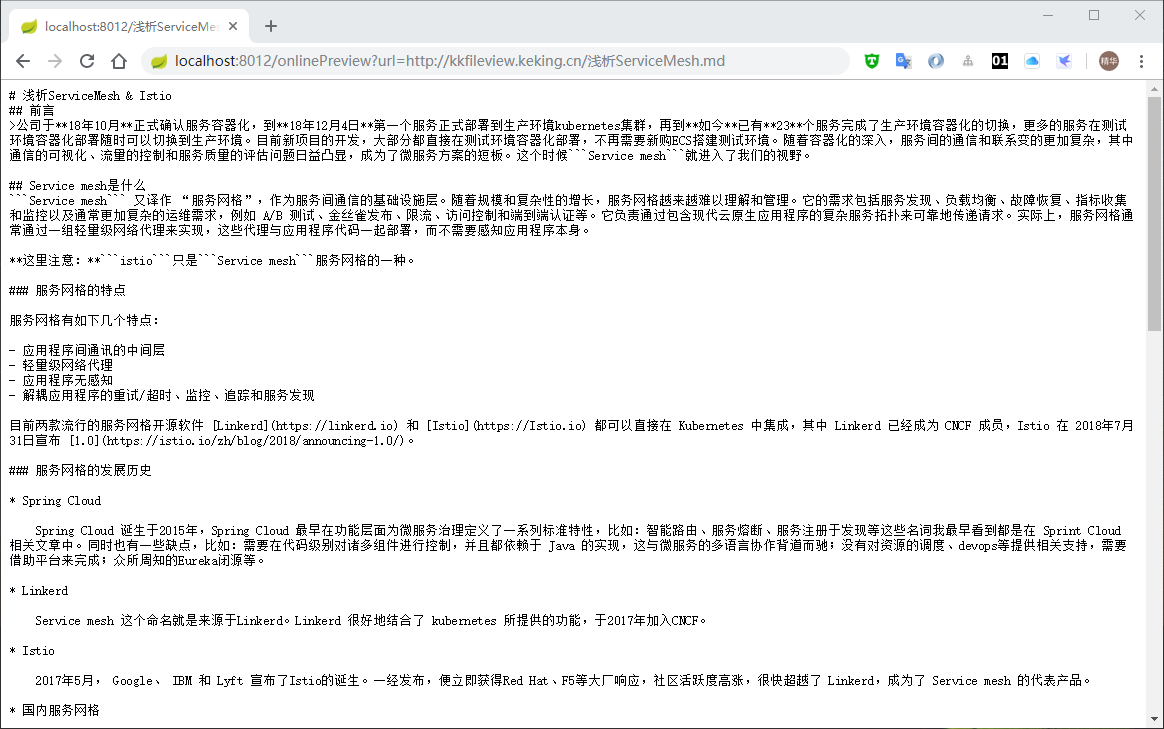
#### 1. 文本预览
|
||||
支持所有类型的文本文档预览, 由于文本文档类型过多,无法全部枚举,默认开启的类型如下 txt,html,htm,asp,jsp,xml,xbrl,json,properties,md,gitignore,log,java,py,c,cpp,sql,sh,bat,m,bas,prg,cmd
|
||||
支持所有类型的文本文档预览, 由于文本文档类型过多,无法全部枚举,默认开启的类型如下 txt,html,htm,asp,jsp,xml,json,properties,md,gitignore,log,java,py,c,cpp,sql,sh,bat,m,bas,prg,cmd
|
||||
文本预览效果如下
|
||||

|
||||
|
||||
|
||||
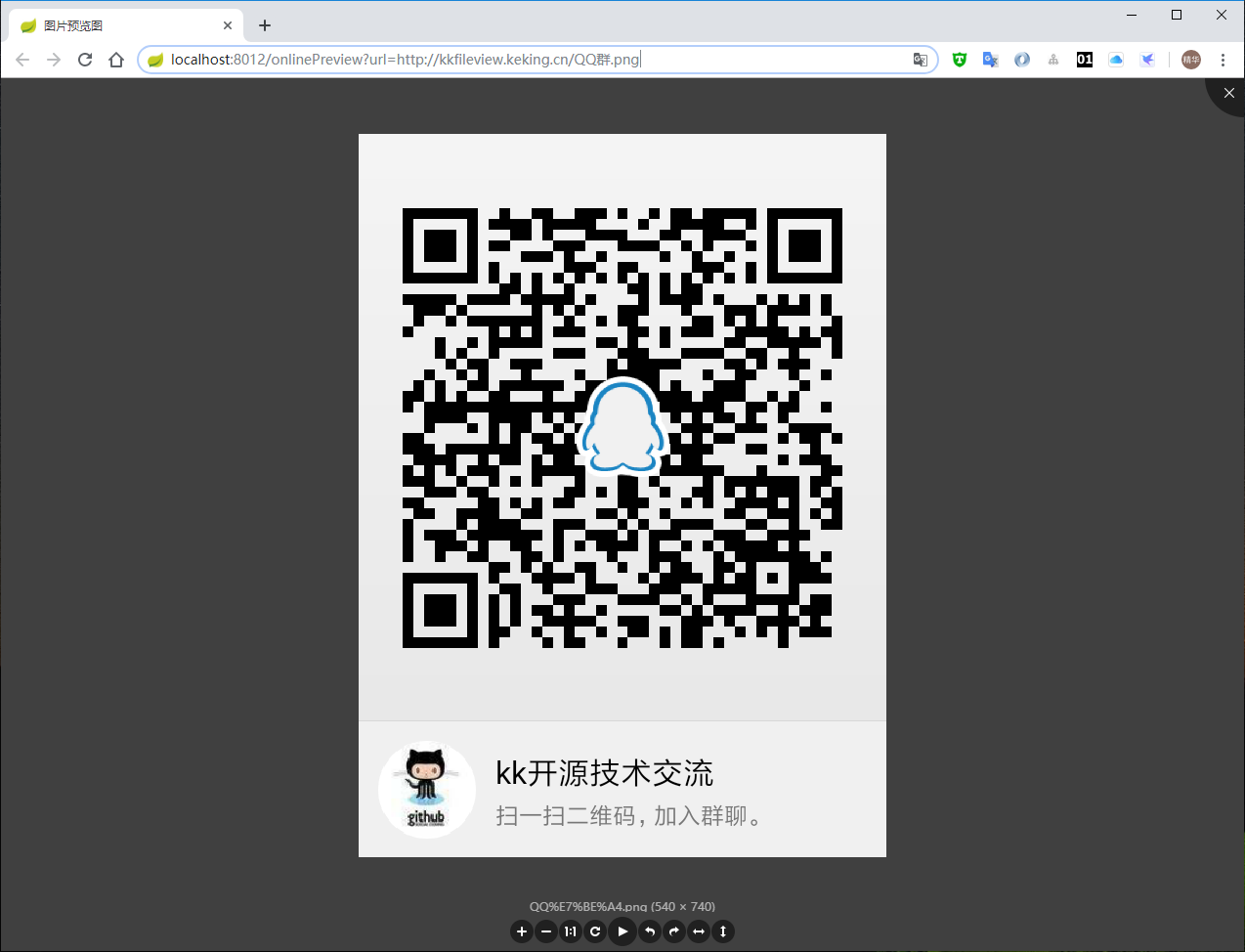
#### 2. 图片预览
|
||||
支持jpg,jpeg,png,gif等图片预览(翻转,缩放,镜像),预览效果如下
|
||||

|
||||
|
||||
|
||||
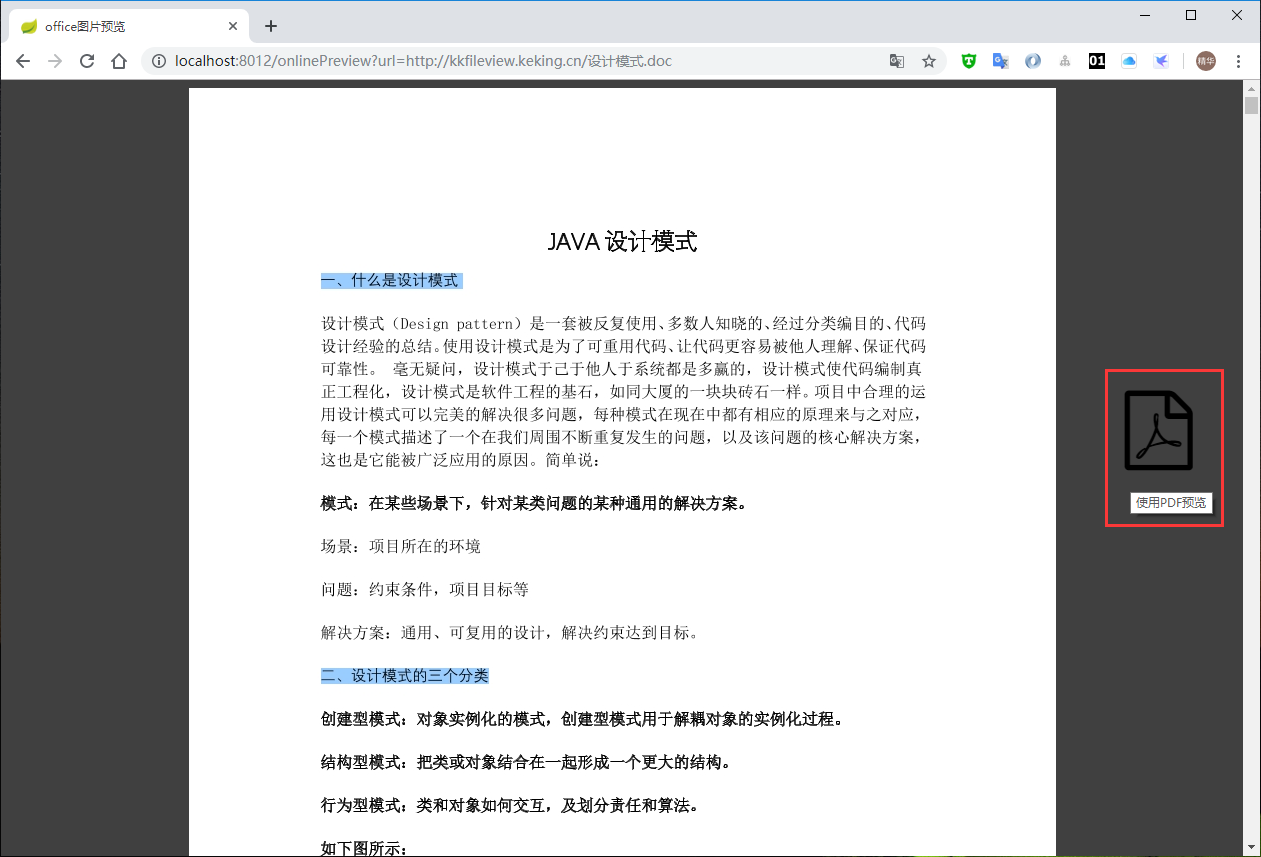
#### 3. word文档预览
|
||||
支持doc,docx文档预览,word预览有两种模式:一种是每页word转为图片预览,另一种是整个word文档转成pdf,再预览pdf。两种模式的适用场景如下
|
||||
* 图片预览:word文件大,前台加载整个pdf过慢
|
||||
* pdf预览:内网访问,加载pdf快
|
||||
图片预览模式预览效果如下
|
||||

|
||||
|
||||
pdf预览模式预览效果如下
|
||||

|
||||

|
||||
|
||||
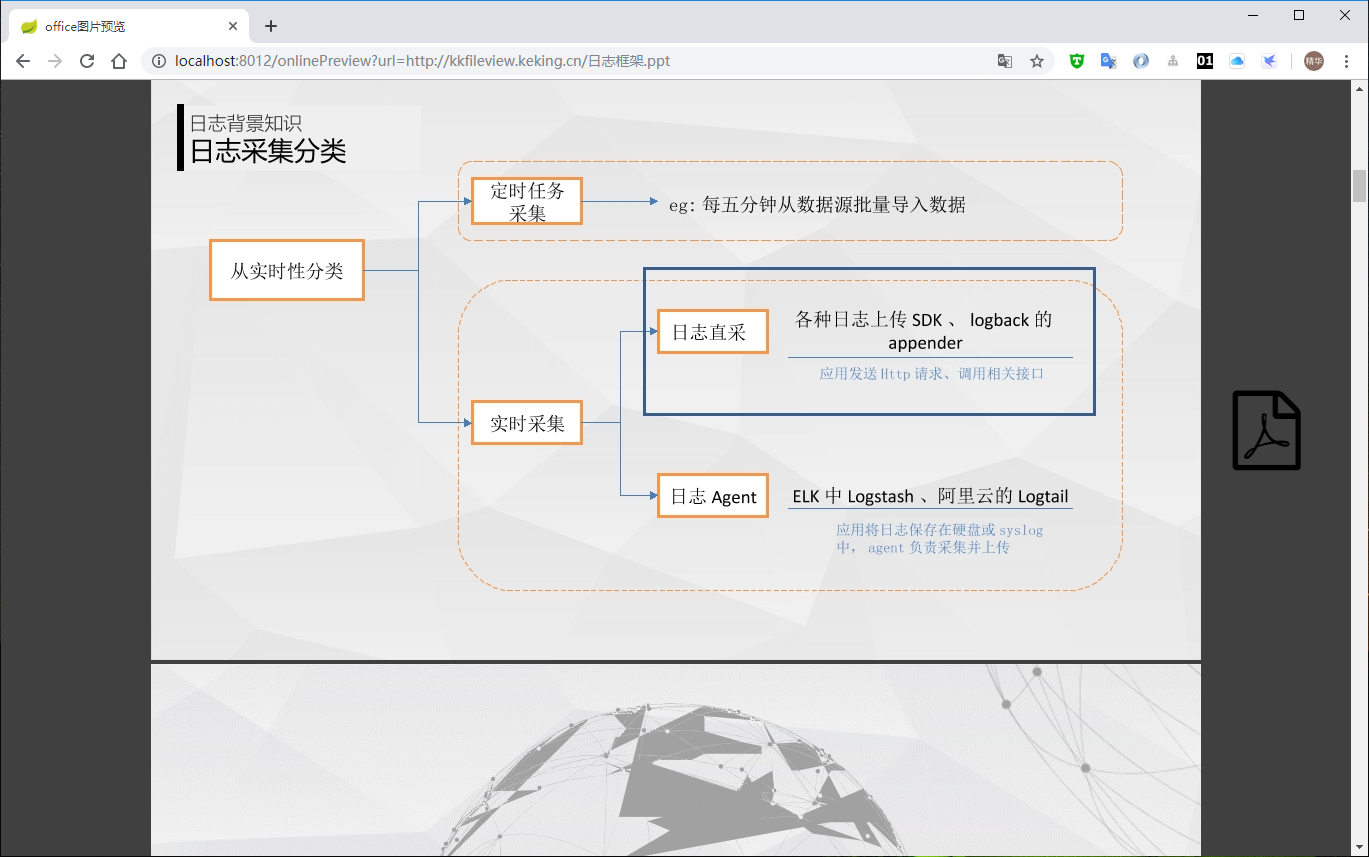
#### 4. ppt文档预览
|
||||
支持ppt,pptx文档预览,和word文档一样,有两种预览模式
|
||||
图片预览模式预览效果如下
|
||||

|
||||
|
||||
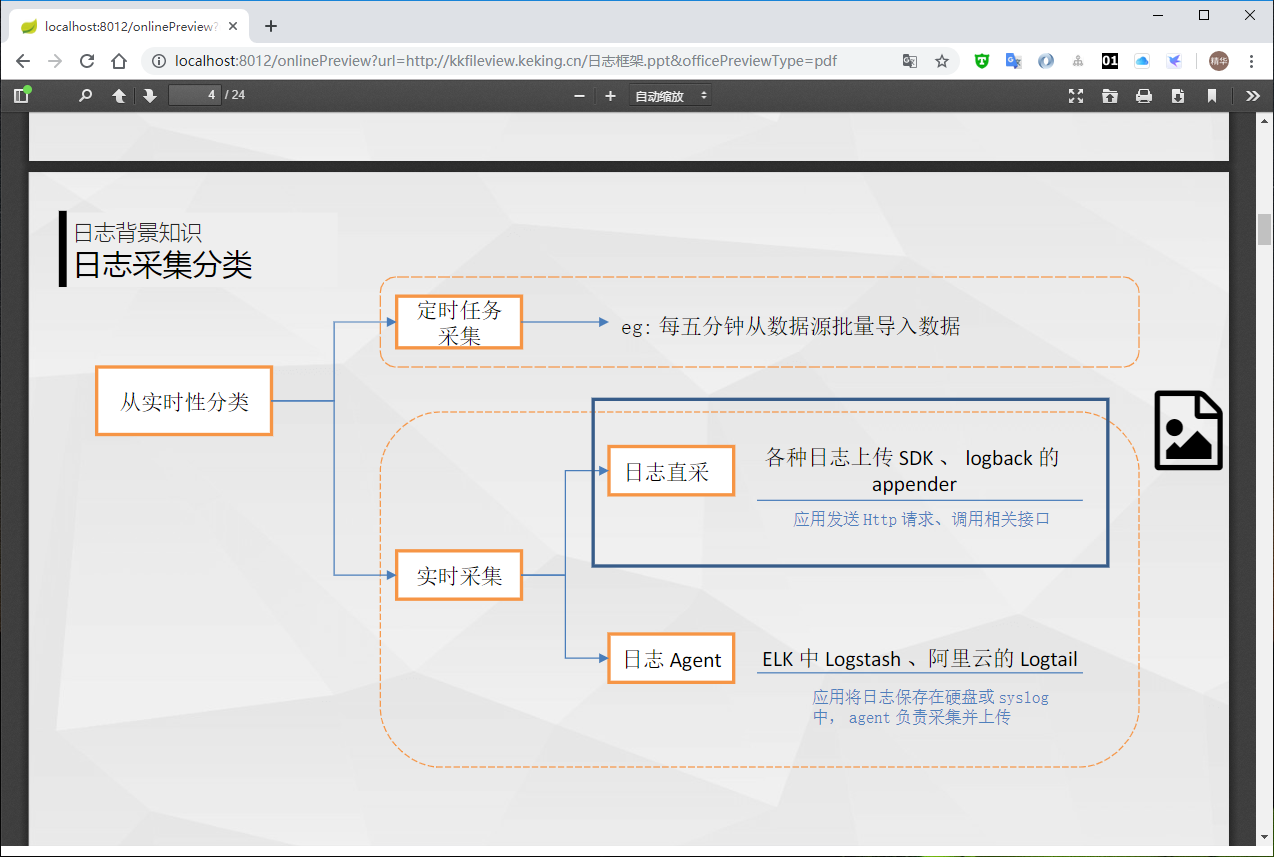
pdf预览模式预览效果如下
|
||||

|
||||
|
||||
|
||||
#### 5. pdf文档预览
|
||||
支持pdf文档预览,和word文档一样,有两种预览模式
|
||||
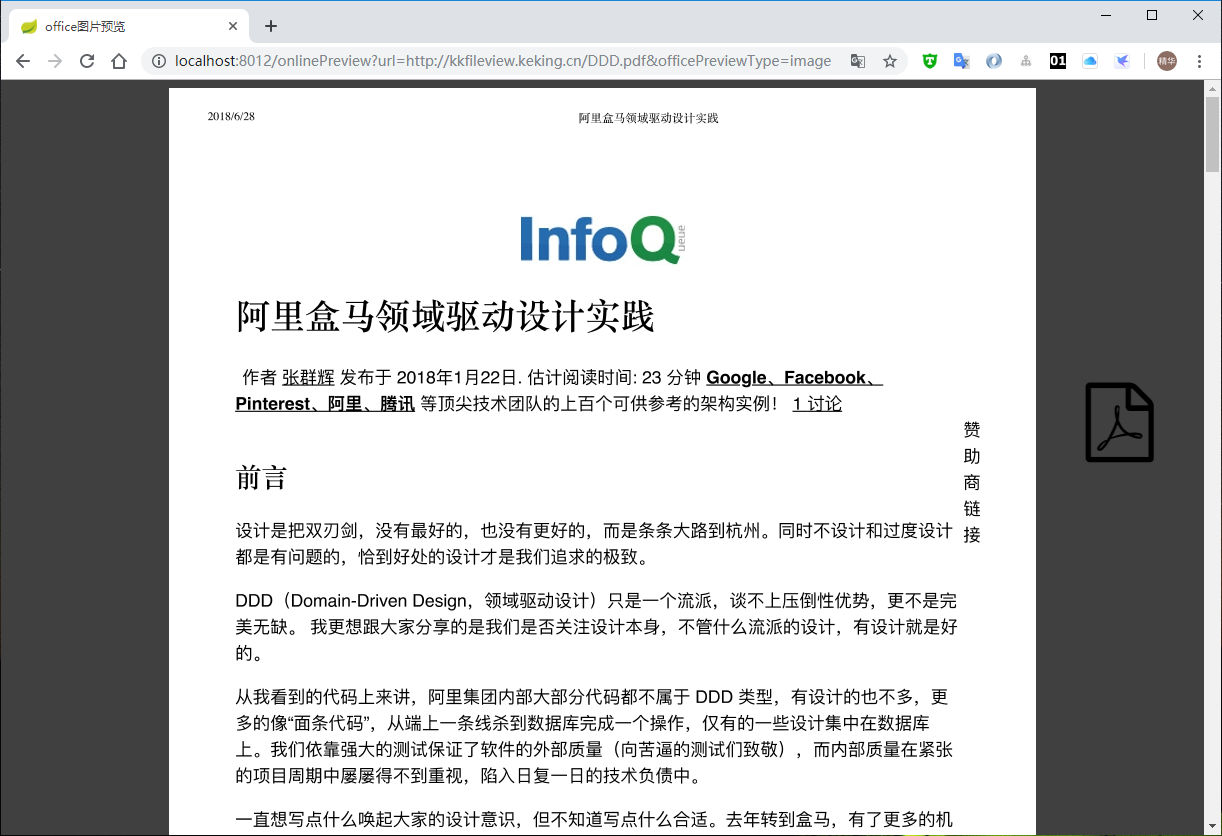
图片预览模式预览效果如下
|
||||

|
||||
|
||||
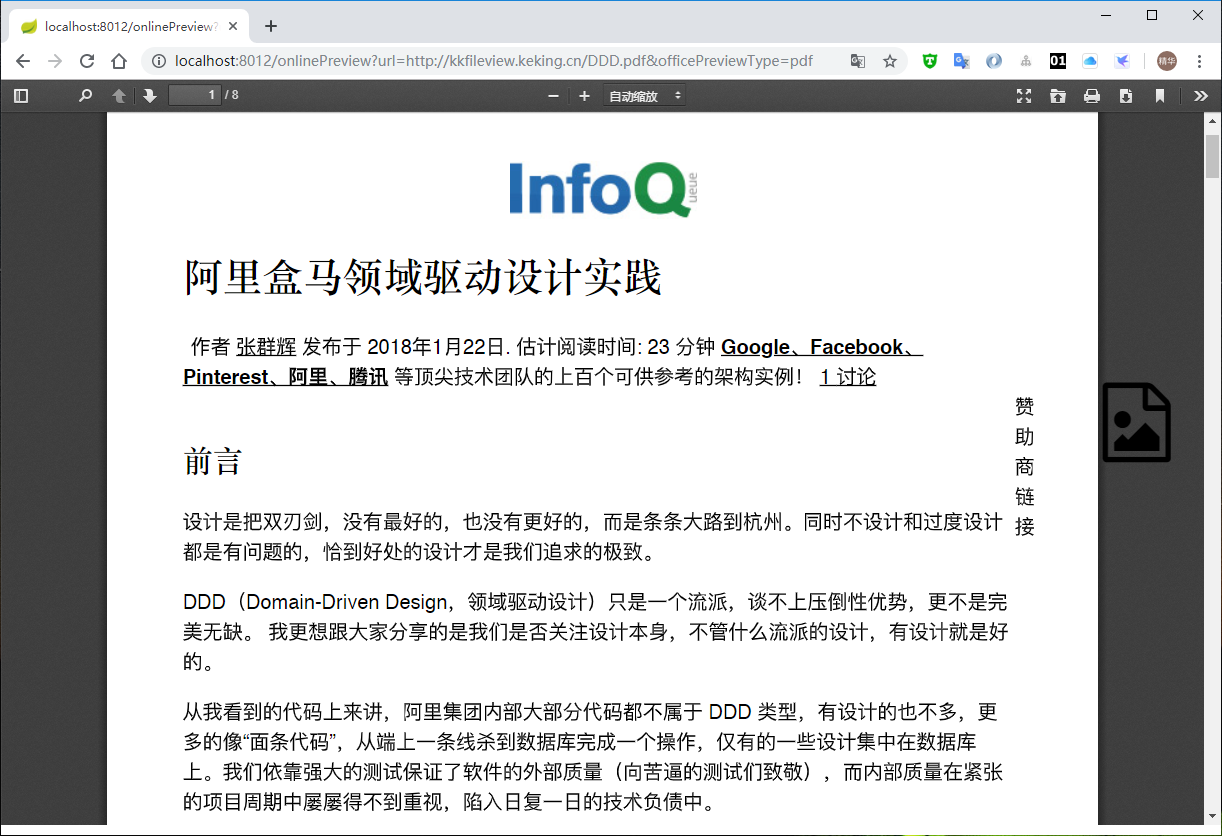
pdf预览模式预览效果如下
|
||||

|
||||
|
||||
|
||||
#### 6. excel文档预览
|
||||
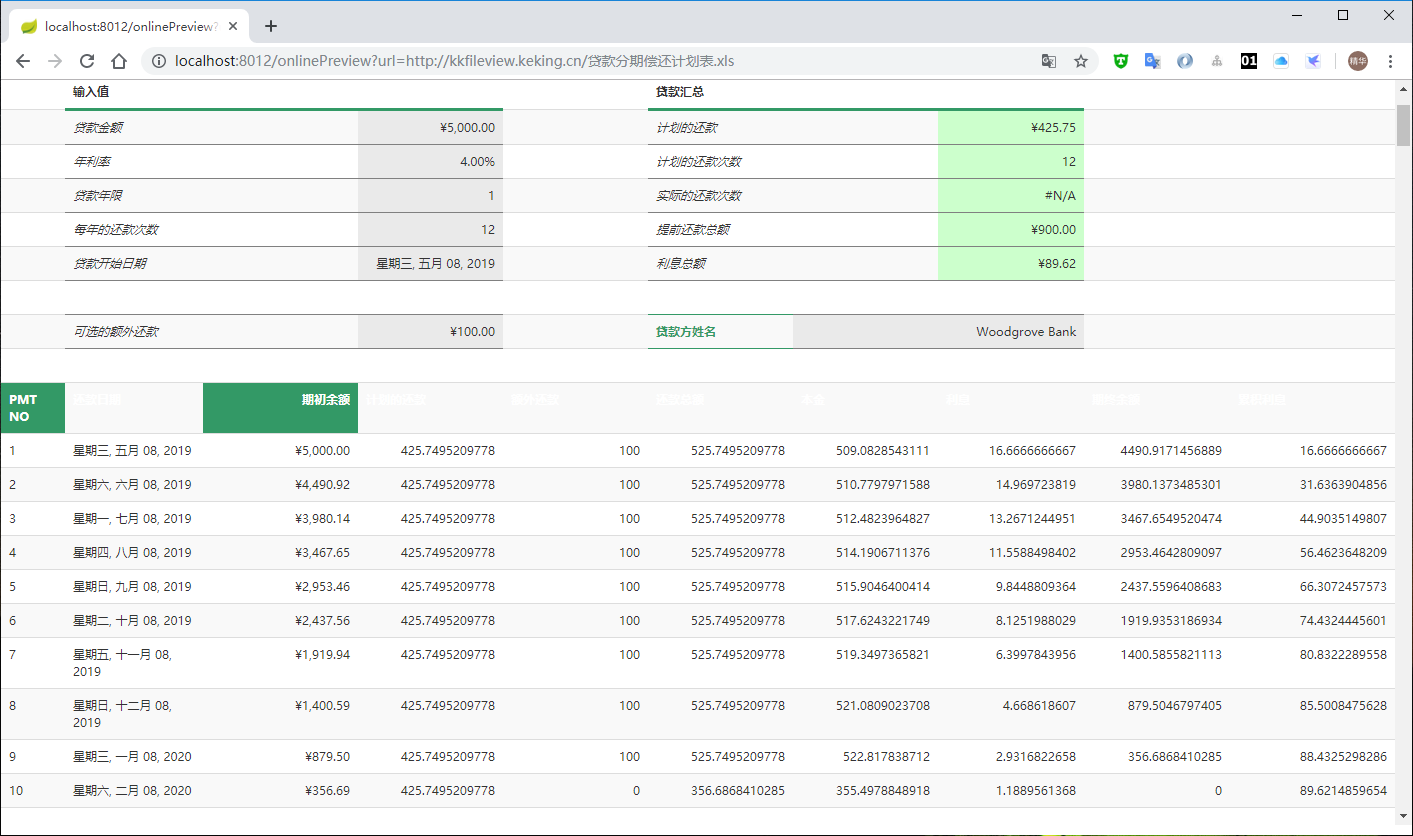
支持xls,xlsx文档预览,预览效果如下
|
||||

|
||||
|
||||
|
||||
#### 7. 压缩文件预览
|
||||
支持zip,rar,jar,tar,gzip等压缩包,预览效果如下
|
||||

|
||||
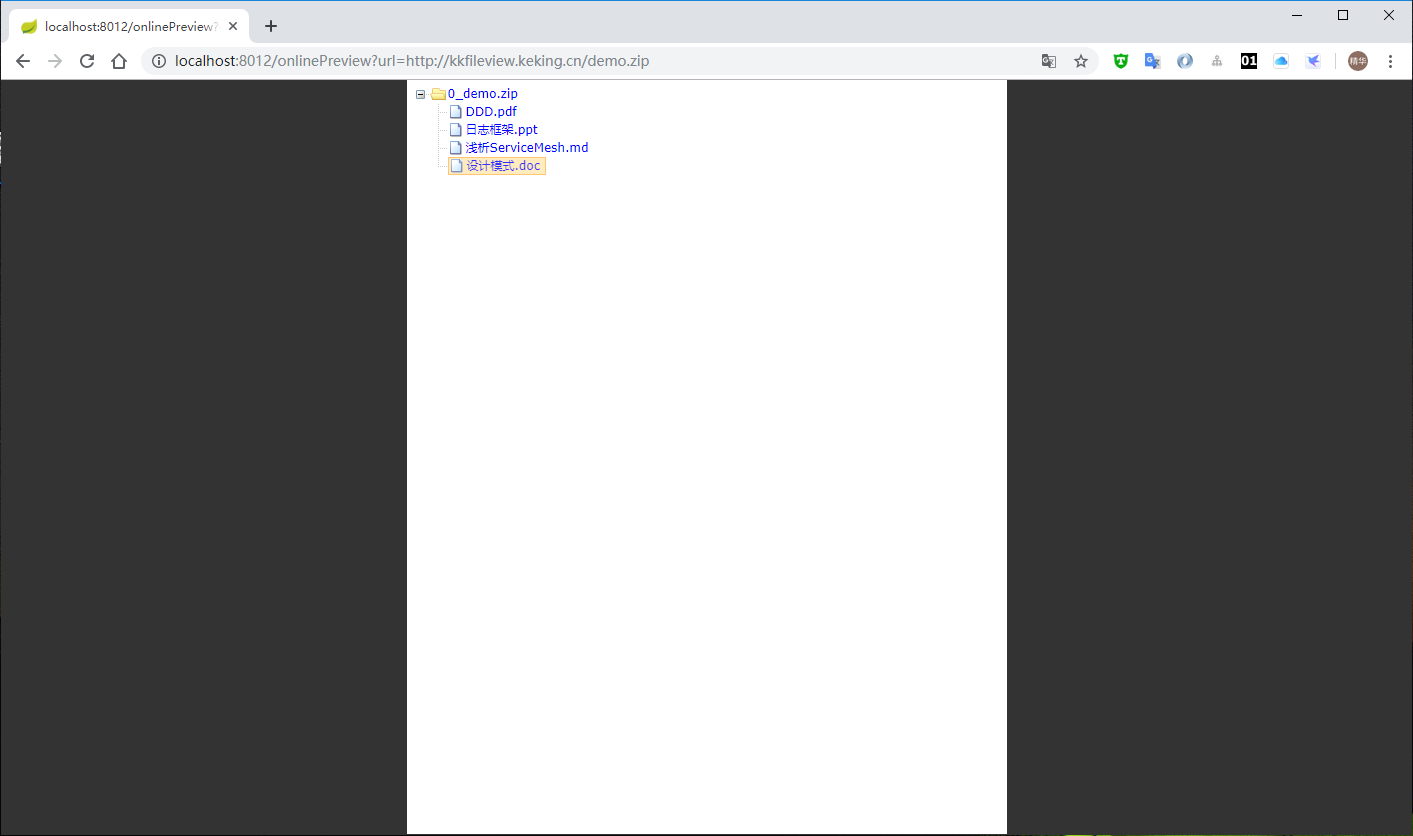
|
||||
可点击压缩包中的文件名,直接预览文件,预览效果如下
|
||||

|
||||
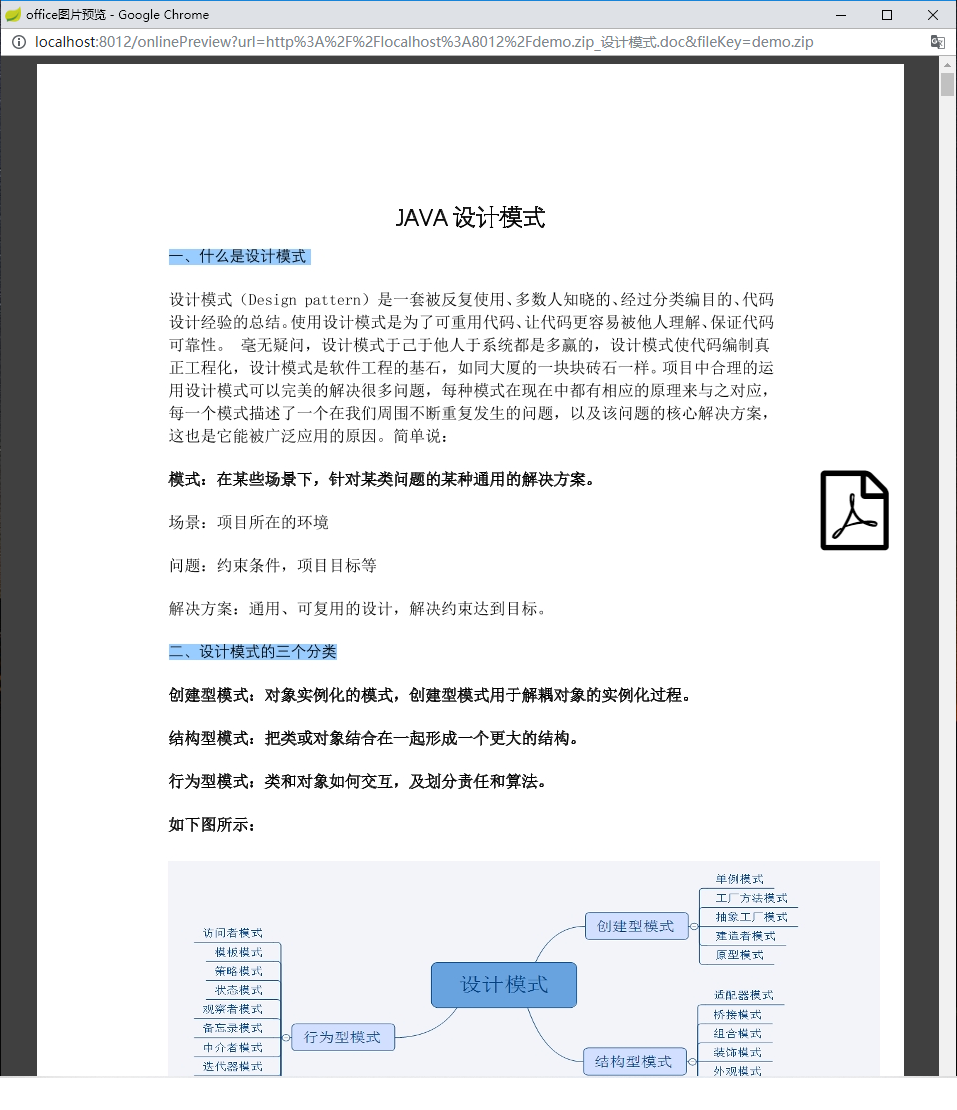
|
||||
|
||||
#### 8. 多媒体文件预览
|
||||
理论上支持所有的视频、音频文件,由于无法枚举所有文件格式,默认开启的类型如下
|
||||
mp3,wav,mp4,flv
|
||||
视频预览效果如下
|
||||

|
||||

|
||||
音频预览效果如下
|
||||

|
||||
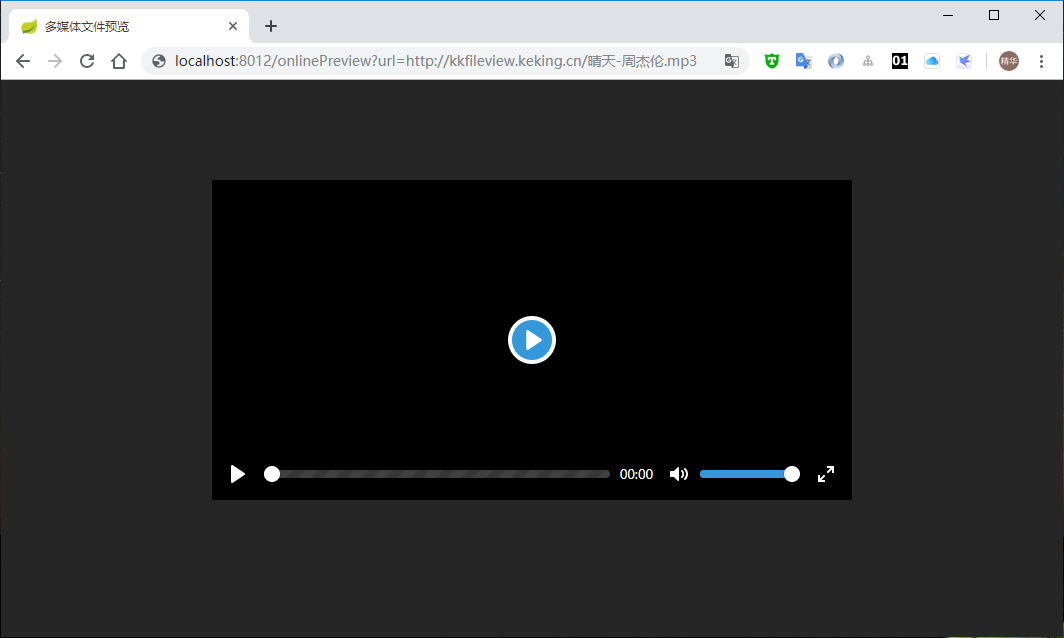
|
||||
|
||||
#### 9. CAD文档预览
|
||||
支持CAD dwg文档预览,和word文档一样,有两种预览模式
|
||||
图片预览模式预览效果如下
|
||||

|
||||
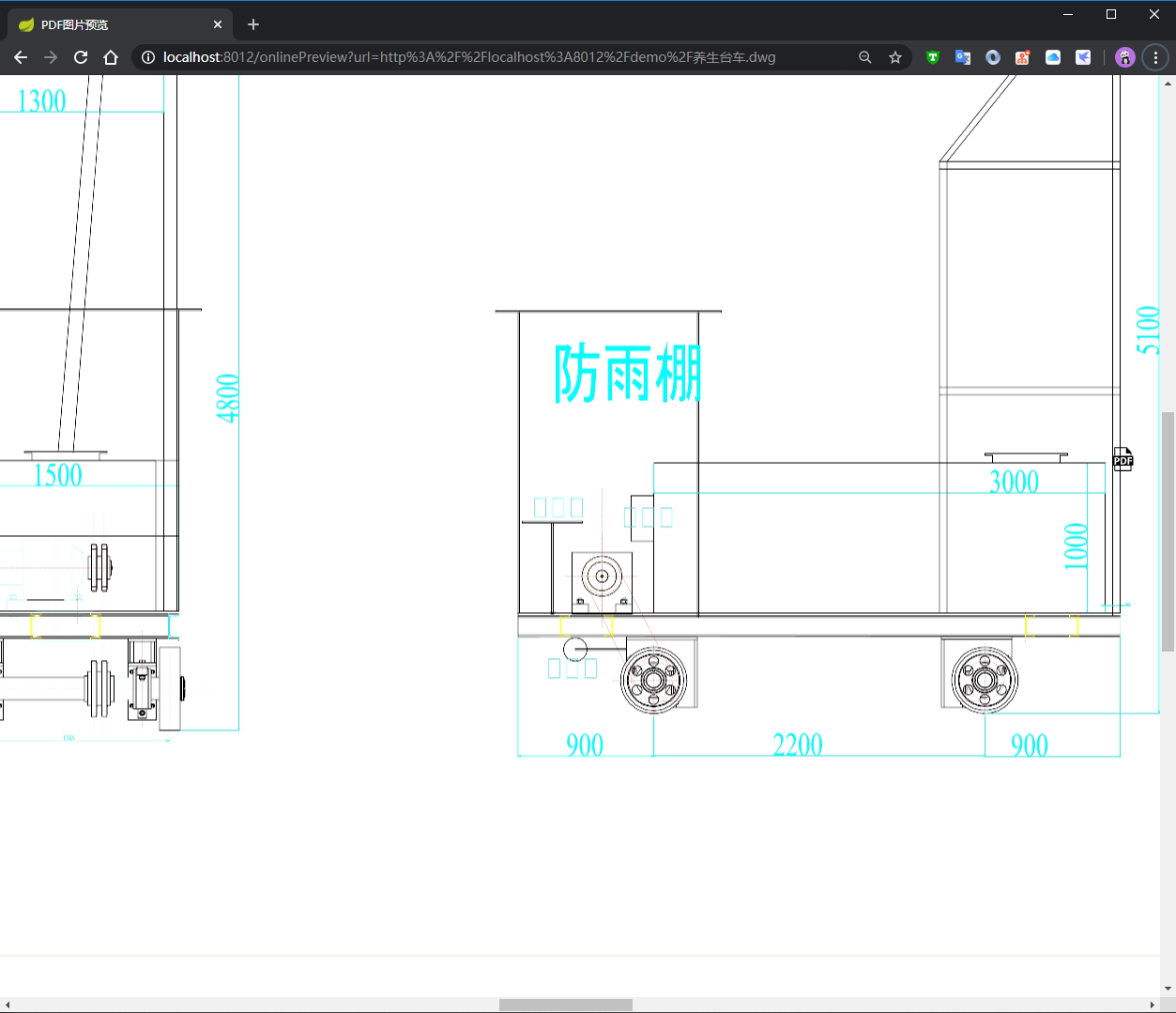
|
||||
pdf预览模式预览效果如下
|
||||

|
||||
|
||||
#### 10. Excel文件纯前端渲染效果
|
||||
|
||||

|
||||
|
||||
#### 11. 流程图bpmn文件预览效果
|
||||
|
||||

|
||||
|
||||
#### 12. 3D模型文件预览效果:
|
||||
|
||||

|
||||
|
||||
#### 13. dcm医疗数位影像文件预览效果:
|
||||
|
||||

|
||||
|
||||
#### 14. drawio流程图预览效果:
|
||||
|
||||

|
||||
|
||||

|
||||
考虑说明篇幅原因,就不贴其他格式文件的预览效果了,感兴趣的可以参考下面的实例搭建下
|
||||
|
||||
### 快速开始
|
||||
@@ -135,7 +116,6 @@ pdf预览模式预览效果如下
|
||||
- freemarker
|
||||
- redisson
|
||||
- jodconverter
|
||||
|
||||
> 依赖外部环境
|
||||
- redis (可选,默认不用)
|
||||
- OpenOffice 或者 LibreOffice( Windows 下已内置,Linux 脚本启动模式会自动安装,Mac OS 下需要手动安装)
|
||||
@@ -149,172 +129,7 @@ pdf预览模式预览效果如下
|
||||
|
||||
### 历史更新记录
|
||||
|
||||
#### > 2026年01月20日,v5.0 版本发布 :
|
||||
#### 优化内容
|
||||
1. xlsx 前端解析优化 - 提升Excel文件前端渲染性能
|
||||
2. 图片解析优化 - 改进图片处理机制
|
||||
3. tif 解析优化 - 增强TIF格式支持
|
||||
4. svg 解析优化 - 优化SVG矢量图渲染
|
||||
5. json 解析优化 - 改进JSON文件处理
|
||||
6. ftp多客户端接入优化 - 提升FTP服务兼容性
|
||||
7. 首页目录访问优化 - 采用post服务端分页机制
|
||||
8. marked 解析优化 - 改进Markdown渲染
|
||||
|
||||
#### 新增功能
|
||||
1. msg邮件解析 - 新增msg格式邮件文件预览支持
|
||||
2. heic图片解析 - 新增HEIC格式图片预览支持
|
||||
3. 跨域方法 - 新增跨域处理机制
|
||||
4. 高亮方法 - 新增文本高亮功能
|
||||
5. 页码方法 - 新增文档页码控制
|
||||
6. AES加密方法 - 新增AES加密支持
|
||||
7. Basic鉴权方法 - 新增Basic认证机制
|
||||
8. 秘钥方法 - 新增密钥管理功能
|
||||
9. 防重复转换 - 新增重复文件转换防护
|
||||
10. 异步等待 - 新增异步处理机制
|
||||
11. 上传限制 - 新增不支持文件上传限制
|
||||
12. cadviewer转换方法 - 新增CAD查看器转换功能
|
||||
|
||||
#### 修复问题
|
||||
1. 压缩包路径问题 - 修复压缩包内部路径处理
|
||||
2. 安全问题 - 修复安全漏洞
|
||||
3. 图片水印不全问题 - 修复水印显示不完整
|
||||
4. SSL自签证书接入问题 - 修复自签名证书兼容性
|
||||
|
||||
#### 更新内容
|
||||
1. JDK版本要求 - 强制要求JDK 21及以上版本
|
||||
2. pdf前端解析更新 - 升级PDF前端渲染组件
|
||||
3. odf前端解析更新 - 升级ODF文档前端渲染
|
||||
4. 3D模型前端解析更新 - 升级3D模型查看器
|
||||
5. pdf后端异步转换优化 - 实现多线程异步转换
|
||||
6. tif后端异步转换优化 - 实现多线程异步转换
|
||||
7. 视频后端异步转换优化 - 实现多线程异步转换
|
||||
8. CAD后端异步转换优化 - 实现多线程异步转换
|
||||
|
||||
#### > 2025年01月16日,v4.4.0 版本发布 :
|
||||
|
||||
### 新增功能
|
||||
1. xlsx 新增支持打印功能
|
||||
2. 配置文件新增启用 GZIP 压缩
|
||||
3. CAD 格式新增支持转换成 SVG 和 TIF 格式,新增超时结束、线程管理
|
||||
4. 新增删除文件使用验证码校验
|
||||
5. 新增 xbrl 格式预览支持
|
||||
6. PDF 预览新增控制签名、绘图、插图控制、搜索定位页码、定义显示内容等功能
|
||||
7. 新增 CSV 格式前端解析支持
|
||||
8. 新增 ARM64 下的 Docker 镜像支持
|
||||
9. 新增 Office 预览支持转换超时属性设置功能
|
||||
10. 新增预览文件 host 黑名单机制
|
||||
|
||||
### 优化
|
||||
1. 优化 OFD 移动端预览 页面不自适应
|
||||
2. 更新 xlsx 前端解析组件,加速解析速度
|
||||
3. 升级 CAD 组件
|
||||
4. office 功能调整,支持批注、转换页码限制、生成水印等功能
|
||||
5. 升级 markdown 组件
|
||||
6. 升级 dcm 解析组件
|
||||
7. 升级 PDF.JS 解析组件
|
||||
8. 更换视频播放插件为 ckplayer
|
||||
9. tif 解析更加智能化,支持被修改的图片格式
|
||||
10. 针对大小文本文件检测字符编码的正确率,处理并发隐患
|
||||
11. 重构下载文件的代码,新增通用的文件服务器认证访问的设计
|
||||
12. 更新 bootstrap 组件,并精简掉不需要的文件
|
||||
13. 更新 epub 版本,优化 epub 显示效果
|
||||
14. 解决定时清除缓存时,对于多媒体类型文件,只删除了磁盘缓存文件
|
||||
15. 自动检测已安装 Office 组件,增加 LibreOffice 7.5 & 7.6 版本默认路径
|
||||
16. 修改 drawio 默认为预览模式
|
||||
17. 新增 PDF 线程管理、超时管理、内存缓存管理,更新 PDF 解析组件版本
|
||||
18. 优化 Dockerfile,支持真正的跨平台构建镜像
|
||||
|
||||
### 修复
|
||||
1. 修复 forceUpdatedCache 属性设置,但本地缓存文件不更新的问题
|
||||
2. 修复 PDF 解密加密文件转换成功后后台报错的问题
|
||||
3. 修复 BPMN 不支持跨域的问题
|
||||
4. 修复压缩包二级反代特殊符号错误问题
|
||||
5. 修复视频跨域配置导致视频无法预览的问题
|
||||
6. 修复 TXT 文本类分页二次加载问题
|
||||
7. 修复 Drawio 缺少 Base64 组件的问题
|
||||
8. 修复 Markdown 被转义问题
|
||||
9. 修复 EPUB 跨域报错问题
|
||||
10. 修复 URL 特殊符号问题
|
||||
11. 修复压缩包穿越漏洞
|
||||
12. 修复压缩获取路径错误、图片合集路径错误、水印问题等 BUG
|
||||
13. 修复前端解析 XLSX 包含 EMF 格式文件错误问题
|
||||
|
||||
#### > 2023年07月05日,v4.3.0 版本发布 :
|
||||
|
||||
#### 新增功能:
|
||||
1. 新增dcm等医疗数位影像预
|
||||
2. 新增drawio绘图预览
|
||||
3. 新增开启缓存的情况下重新生成的命令 &forceUpdatedCache=true
|
||||
4. 新增dwg CAD文件预览
|
||||
5. 新增PDF文件支持密码功能
|
||||
6. 新增PDF文件生成图片的dpi自定义配置
|
||||
7. 新增删除转换后OFFICE、CAD、TIFF、压缩包源文件配置 默认开启 节约磁盘空间
|
||||
8. 新增前端解析xlsx方法
|
||||
9. 新增pages,eps, iges , igs, dwt, dng, ifc, dwfx, stl, cf2, plt等格式支持
|
||||
|
||||
#### 优化:
|
||||
1. 调整生成的PDF文件 文件名称添加文件后缀 防止生成同名文件
|
||||
2. 调整SQL文件预览方式
|
||||
3. 优化OFD预览兼容性
|
||||
4. 美化TXT文本 分页框的显示
|
||||
5. 升级Linux、Docker版内置office为LibreOffice-7.5.3版本
|
||||
6. 升级Windows版内置office为LibreOffice-7.5.3 Portable版本
|
||||
7. 其他功能优化
|
||||
|
||||
#### 修复:
|
||||
1. 修复反代情况下压缩包获取路径错误
|
||||
2. 修复预览图片的url中如果包含&会导致.click报错
|
||||
3. 修复OFD预览部分已知问题
|
||||
4. 修复预览压缩包时,如果点击的是文件目录(树节点),页面会报错
|
||||
5. 其他已知问题修复
|
||||
|
||||
#### > 2023年04月18日,v4.2.1 版本发布 :
|
||||
|
||||
#### 更新日志:
|
||||
|
||||
1. 修复 dwg 文件预览报空指针的 bug
|
||||
|
||||
#### > 2023年04月13日,v4.2.0 版本发布 :
|
||||
|
||||
#### 新增功能:
|
||||
1. 新增 SVG 格式文件预览支持
|
||||
2. 新增加密的 Office 文件预览支持
|
||||
3. 新增加密的 zip、rar 等压缩包文件预览支持
|
||||
4. 新增 xmind 软件模型文件预览支持
|
||||
5. 新增 bpmn 工作流模型文件预览支持
|
||||
6. 新增 eml 邮件文件预览支持
|
||||
7. 新增 epub 电子书文件预览支持
|
||||
8. 新增 dotm,ett,xlt,xltm,wpt,dot,xlam,xla,dotx 等格式的办公文档预览支持
|
||||
9. 新增 obj, 3ds, stl, ply, gltf, glb, off, 3dm, fbx, dae, wrl, 3mf, ifc, brep, step, iges, fcstd, bim 等 3D 模型文件预览支持
|
||||
10. 新增可配置限制高风险文件上传的功能,比如 exe 文件
|
||||
11. 新增可配置站点的备案信息
|
||||
12. 新增演示站点删除文件需要密码的功能
|
||||
|
||||
#### 优化:
|
||||
1. 文本文档预览加入缓存
|
||||
2. 美化 404、500 报错页
|
||||
3. 优化发票等 ofd 文件预览的印证渲染兼容性
|
||||
4. 移除 office-plugin 模块, 使用新版 jodconverter组件
|
||||
5. 优化 Excel 文件的预览效果
|
||||
6. 优化 CAD 文件的预览效果
|
||||
7. 更新 xstream 、junrar、pdfbox 等依赖的版本
|
||||
8. 更新 TIF 文件转换 PDF 的插件,添加转换缓存
|
||||
9. 优化演示页 UI 部署
|
||||
10. 压缩包文件预览支持目录
|
||||
|
||||
#### 修复:
|
||||
1. 修复部分接口 XSS 问题
|
||||
2. 修复控制台打印的演示地址不跟着 content-path 配置走的问题
|
||||
3. 修复 ofd 文件预览跨域问题
|
||||
4. 修复内部自签证书 https 协议 url 文件无法下载的问题
|
||||
5. 修复特殊符号的文件无法删除的问题
|
||||
6. 修复 PDF 转图片,内存无法回收导致的 OOM
|
||||
7. 修复 xlsx7.4 以上版本文件预览乱码的问题
|
||||
8. 修复 TrustHostFilter 未拦截跨域接口的问题,这是一个安全问题,有使用到 TrustHost 功能的务必升级
|
||||
9. 修复压缩包文件预览在 Linux 系统下文件名乱码的问题
|
||||
10. 修复 ofd 文件预览页码只能显示10页的问题
|
||||
|
||||
#### > 2022年12月14日,v4.1.0 版本发布 :
|
||||
> 2022年12月14日,v4.1.0 版本发布 :
|
||||
|
||||
1. 全新首页视觉 @wsd7747
|
||||
2. tif图片预览兼容多页tif的pdf转换、jpg转换,以及jpg在线多页预览功能 @zhangzhen1979
|
||||
@@ -327,7 +142,7 @@ pdf预览模式预览效果如下
|
||||
|
||||
感谢 @yl-yue @wsd7747 @zhangzhen1979 @tomhusky @shenghuadun @kischn.sun 的代码贡献
|
||||
|
||||
#### > 2021年7月6日,v4.0.0 版本发布 :
|
||||
> 2021年7月6日,v4.0.0 版本发布 :
|
||||
|
||||
1. 底层集成OpenOffice替换为LibreOffice,Office文件兼容性增强,预览效果提升
|
||||
2. 修复压缩文件目录穿越漏洞
|
||||
@@ -338,7 +153,7 @@ pdf预览模式预览效果如下
|
||||
7. 优化Windows环境下,查找Office组件逻辑(内置的LibreOffice优先)
|
||||
8. 优化启动Office进程改同步执行
|
||||
|
||||
#### > 2021年6月17日,v3.6.0 版本发布 :
|
||||
> 2021年6月17日,v3.6.0 版本发布 :
|
||||
|
||||
ofd 类型文件支持版本,本次版本重要功能均由社区开发贡献,感谢 @gaoxingzaq、@zhangxiaoxiao9527 的代码贡献
|
||||
1. 新增 ofd 类型文件预览支持,ofd 是国产的类似 pdf 格式的文件
|
||||
@@ -346,7 +161,7 @@ ofd 类型文件支持版本,本次版本重要功能均由社区开发贡献
|
||||
3. 美化了 ppt、pptx 类型文件预览效果,比之前版本好看太多
|
||||
4. 更新了 pdfbox、xstream、common-io 等依赖的版本
|
||||
|
||||
#### > 2021年1月28日 :
|
||||
> 2021年1月28日 :
|
||||
|
||||
2020农历年最后一个版本发布,主要包含了部分 UI 改进,和解决了 QQ 群友、 Issue 里反馈的 Bug 修复,最最重要的是发个新版,过个好年
|
||||
|
||||
@@ -369,7 +184,7 @@ ofd 类型文件支持版本,本次版本重要功能均由社区开发贡献
|
||||
17. escaping of dangerous characters to prevent reflected xss
|
||||
18. 修复重复编码导致文档转图片预览失败的问题&编码规范
|
||||
|
||||
#### > 2020年12月27日 :
|
||||
> 2020年12月27日 :
|
||||
|
||||
2020年年终大版本更新,架构全面设计,代码全面重构,代码质量全面提升,二次开发更便捷,欢迎拉源码品鉴,提issue、pr共同建设
|
||||
|
||||
@@ -389,7 +204,7 @@ ofd 类型文件支持版本,本次版本重要功能均由社区开发贡献
|
||||
14. 修复压缩包里文件再次预览失败的bug
|
||||
15. 修复图片预览的bug
|
||||
|
||||
#### > 2020年05月20日 :
|
||||
> 2020年05月20日 :
|
||||
1. 新增支持全局水印,并支持通过参数动态改变水印内容
|
||||
2. 新增支持CAD文件预览
|
||||
3. 新增base.url配置,支持使用nginx反向代理和使用context-path
|
||||
@@ -407,35 +222,35 @@ ofd 类型文件支持版本,本次版本重要功能均由社区开发贡献
|
||||
15. 官网建设:[https://kkview.cn](https://kkview.cn/)
|
||||
16. 官方Docker镜像仓库建设:[https://hub.docker.com/r/keking/kkfileview](https://hub.docker.com/r/keking/kkfileview)
|
||||
|
||||
#### > 2019年06月18日 :
|
||||
> 2019年06月18日 :
|
||||
1. 支持自动清理缓存及预览文件
|
||||
2. 支持http/https下载流url文件预览
|
||||
3. 支持FTP url文件预览
|
||||
4. 加入Docker构建
|
||||
|
||||
#### > 2019年04月08日 :
|
||||
> 2019年04月08日 :
|
||||
1. 缓存及队列实现抽象,提供JDK和REDIS两种实现(REDIS成为可选依赖)
|
||||
2. 打包方式提供zip和tar.gz包,并提供一键启动脚本
|
||||
|
||||
#### > 2018年01月19日 :
|
||||
> 2018年01月19日 :
|
||||
|
||||
1. 大文件入队提前处理
|
||||
1. 新增addTask文件转换入队接口
|
||||
1. 采用redis队列,支持kkFIleView接口和异构系统入队两种方式
|
||||
|
||||
#### > 2018年01月17日 :
|
||||
> 2018年01月17日 :
|
||||
|
||||
1. 优化项目结构,抽象文件预览接口,更方便的加入更多的文件类型预览支持,方便二次开发
|
||||
1. 新增英文文档说明(@幻幻Fate,@汝辉)贡献
|
||||
1. 新增图片预览文件支持类型
|
||||
1. 修复压缩包内轮播图片总是从第一张开始的问题
|
||||
|
||||
#### > 2018年01月12日 :
|
||||
> 2018年01月12日 :
|
||||
|
||||
1. 新增多图片同时预览
|
||||
1. 支持压缩包内图片轮番预览
|
||||
|
||||
#### > 2018年01月02日 :
|
||||
> 2018年01月02日 :
|
||||
|
||||
1. 修复txt等文本编码问题导致预览乱码
|
||||
1. 修复项目模块依赖引入不到的问题
|
||||
@@ -450,15 +265,14 @@ xmind 引用于 [ xmind-embed-viewer](https://github.com/xmindltd/xmind-embed-v
|
||||
epub 引用于 [ epub.js](https://github.com/futurepress/epub.js) 开源协议 BSD许可证
|
||||
压缩包 引用于 [sevenzipjbinding](https://github.com/borisbrodski/sevenzipjbinding )开源协议LGPL
|
||||
3D 引用于 [Online3DViewer](https://github.com/kovacsv/Online3DViewer )开源协议MIT
|
||||
drawio 引用于 [drawio](https://github.com/jgraph/drawio )开源协议 Apache-2.0
|
||||
bpmn流程图 引用于 [bpmn-js](https://github.com/bpmn-io/bpmn-js ) 自定义协议 保留水印 具体自行查看
|
||||
dcm医疗数位影像 引用于 [dcmjs](https://github.com/dcmjs-org/dcmjs )开源协议MIT
|
||||
|
||||
### 使用登记
|
||||
如果这个项目解决了你的实际问题,可在 https://gitee.com/kekingcn/file-online-preview/issues/IGSBV
|
||||
登记下,如果节省了你的三方预览服务费用,也愿意支持下的话,可点击下方【捐助】请作者喝杯咖啡,也是非常感谢
|
||||
|
||||
### Stars
|
||||
### Stars 趋势图
|
||||
#### Gitee
|
||||
[](https://whnb.wang/kekingcn/file-online-preview?e=86400)
|
||||
|
||||
#### GitHub
|
||||
|
||||
|
||||
174
README.md
@@ -4,7 +4,7 @@
|
||||
|
||||
Document online preview project solution, built using the popular Spring Boot framework for easy setup and deployment. This versatile open source project provides basic support for a wide range of document formats, including:
|
||||
|
||||
1. Supports Office documents such as `doc`, `docx`, `xls`, `xlsx`, `xlsm`, `ppt`, `pptx`, `csv`, `tsv`, , `dotm`, `xlt`, `xltm`, `dot`, `xlam`, `dotx`, `xla,` ,`pages` ,`pptm` etc.
|
||||
1. Supports Office documents such as `doc`, `docx`, `xls`, `xlsx`, `xlsm`, `ppt`, `pptx`, `csv`, `tsv`, , `dotm`, `xlt`, `xltm`, `dot`, `xlam`, `dotx`, `xla,` ,`pages` etc.
|
||||
2. Supports domestic WPS Office documents such as `wps`, `dps`, `et` , `ett`, ` wpt`.
|
||||
3. Supports OpenOffice, LibreOffice office documents such as `odt`, `ods`, `ots`, `odp`, `otp`, `six`, `ott`, `fodt` and `fods`.
|
||||
4. Supports Visio flowchart files such as `vsd`, `vsdx`.
|
||||
@@ -13,13 +13,13 @@ Document online preview project solution, built using the popular Spring Boot fr
|
||||
7. Supports document formats like `pdf`, `ofd`, and `rtf`.
|
||||
8. Supports software model files like `xmind`.
|
||||
9. Support for `bpmn` workflow files.
|
||||
10. Support for `eml` , `msg` mail files
|
||||
10. Support for `eml` mail files
|
||||
11. Support for `epub` book documents
|
||||
12. Supports 3D model files like `obj`, `3ds`, `stl`, `ply`, `gltf`, `glb`, `off`, `3dm`, `fbx`, `dae`, `wrl`, `3mf`, `ifc`, `brep`, `step`, `iges`, `fcstd`, `bim`, etc.
|
||||
13. Supports CAD model files such as `dwg`, `dxf`, `dwf` `iges` ,` igs`, `dwt` , `dng` , `ifc` , `dwfx` , `stl` , `cf2` , `plt`, etc.
|
||||
14. Supports all plain text files such as `txt`, `xml` (rendering), `md` (rendering), `java`, `php`, `py`, `js`, `css`, etc.
|
||||
15. Supports compressed packages such as `zip`, `rar`, `jar`, `tar`, `gzip`, `7z`, etc.
|
||||
16. Supports image previewing (flip, zoom, mirror) of `jpg`, `jpeg`, `png`, `gif`, `bmp`, `ico`, `jfif`, `webp`, `heic`, ,`heif` etc.
|
||||
16. Supports image previewing (flip, zoom, mirror) of `jpg`, `jpeg`, `png`, `gif`, `bmp`, `ico`, `jfif`, `webp`, etc.
|
||||
17. Supports image information model files such as `tif` and `tiff`.
|
||||
18. Supports image format files such as `tga`.
|
||||
19. Supports vector image format files such as `svg`.
|
||||
@@ -63,174 +63,6 @@ URL:[https://file.kkview.cn](https://file.kkview.cn)
|
||||
|
||||
2. second step:Run the main method of `/server/src/main/java/cn/keking/ServerMain.java`. After starting,visit `http://localhost:8012/`.
|
||||
|
||||
## Change History
|
||||
|
||||
### Version 5.0 (January 20, 2026)
|
||||
|
||||
#### Optimizations
|
||||
1. Enhanced xlsx front-end parsing - Improved Excel file front-end rendering performance
|
||||
2. Optimized image parsing - Enhanced image processing mechanism
|
||||
3. Improved tif parsing - Enhanced TIF format support
|
||||
4. Enhanced svg parsing - Optimized SVG vector image rendering
|
||||
5. Improved json parsing - Enhanced JSON file processing
|
||||
6. Optimized ftp multi-client access - Improved FTP service compatibility
|
||||
7. Enhanced home page directory access - Implemented post server-side pagination mechanism
|
||||
8. Improved marked parsing - Enhanced Markdown rendering
|
||||
|
||||
#### New Features
|
||||
1. msg email parsing - Added support for msg format email file preview
|
||||
2. heic image parsing - Added support for HEIC format image preview
|
||||
3. Cross-domain methods - Added cross-domain processing mechanism
|
||||
4. Highlighting methods - Added text highlighting functionality
|
||||
5. Pagination methods - Added document page control
|
||||
6. AES encryption methods - Added AES encryption support
|
||||
7. Basic authentication methods - Added Basic authentication mechanism
|
||||
8. Key management methods - Added key management functionality
|
||||
9. Anti-duplicate conversion - Added duplicate file conversion protection
|
||||
10. Async waiting - Added asynchronous processing mechanism
|
||||
11. Upload restrictions - Added restrictions for unsupported file uploads
|
||||
12. cadviewer conversion methods - Added CAD viewer conversion functionality
|
||||
|
||||
#### Fixed Issues
|
||||
1. Compressed file path issues - Fixed internal path handling in compressed files
|
||||
2. Security issues - Fixed security vulnerabilities
|
||||
3. Incomplete image watermark issues - Fixed incomplete watermark display
|
||||
4. SSL self-signed certificate access issues - Fixed compatibility with self-signed certificates
|
||||
|
||||
#### Updates
|
||||
1. JDK version requirement - Mandatory requirement for JDK 21 or higher
|
||||
2. pdf front-end parsing update - Upgraded PDF front-end rendering component
|
||||
3. odf front-end parsing update - Upgraded ODF document front-end rendering
|
||||
4. 3D model front-end parsing update - Upgraded 3D model viewer
|
||||
5. pdf backend async conversion optimization - Implemented multi-threaded asynchronous conversion
|
||||
6. tif backend async conversion optimization - Implemented multi-threaded asynchronous conversion
|
||||
7. Video backend async conversion optimization - Implemented multi-threaded asynchronous conversion
|
||||
8. CAD backend async conversion optimization - Implemented multi-threaded asynchronous conversion
|
||||
|
||||
### Version 4.4.0 (January 16, 2025)
|
||||
|
||||
#### New Features
|
||||
1. xlsx printing support
|
||||
2. Added GZIP compression enablement in configuration
|
||||
3. CAD format now supports conversion to SVG and TIF formats, added timeout termination and thread management
|
||||
4. Added captcha verification for file deletion
|
||||
5. Added xbrl format preview support
|
||||
6. PDF preview added control over signatures, drawings, illustration control, search positioning pagination, and display content definition
|
||||
7. Added CSV format front-end parsing support
|
||||
8. Added Docker image support for ARM64
|
||||
9. Added Office preview conversion timeout property setting
|
||||
10. Added preview file host blacklist mechanism
|
||||
|
||||
#### Optimizations
|
||||
1. Optimized OFD mobile preview page adaptability
|
||||
2. Updated xlsx front-end parsing component to accelerate parsing speed
|
||||
3. Upgraded CAD component
|
||||
4. Office function adjustments, supporting comments, conversion page limit, watermark generation, etc.
|
||||
5. Upgraded markdown component
|
||||
6. Upgraded dcm parsing component
|
||||
7. Upgraded PDF.JS parsing component
|
||||
8. Changed video player plugin to ckplayer
|
||||
9. Smarter tif parsing, supporting modified image formats
|
||||
10. Improved character encoding detection accuracy for large and small text files, handling concurrency vulnerabilities
|
||||
11. Refactored file download code, added general file server authentication access design
|
||||
12. Updated bootstrap component and streamlined unnecessary files
|
||||
13. Updated epub version, optimized epub display effect
|
||||
14. Fixed issue where scheduled cache cleanup only deleted disk cache files for multimedia file types
|
||||
15. Auto-detection of installed Office components, added default paths for LibreOffice 7.5 & 7.6 versions
|
||||
16. Changed drawio default to preview mode
|
||||
17. Added PDF thread management, timeout management, memory cache management, updated PDF parsing component version
|
||||
18. Optimized Dockerfile for true cross-platform image building
|
||||
|
||||
#### Fixes
|
||||
1. Fixed forceUpdatedCache property setting issue where local cache files weren't updated
|
||||
2. Fixed PDF decryption error after successful encrypted file conversion
|
||||
3. Fixed BPMN cross-domain support issue
|
||||
4. Fixed special character error in compressed package secondary reverse proxy
|
||||
5. Fixed video cross-domain configuration causing video preview failure
|
||||
6. Fixed TXT text pagination secondary loading issue
|
||||
7. Fixed Drawio missing Base64 component issue
|
||||
8. Fixed Markdown escaping issue
|
||||
9. Fixed EPUB cross-domain error
|
||||
10. Fixed URL special character issues
|
||||
11. Fixed compressed package traversal vulnerability
|
||||
12. Fixed compressed file path errors, image collection path errors, watermark issues, etc.
|
||||
13. Fixed front-end parsing XLSX containing EMF format file errors
|
||||
|
||||
### Version 4.3.0 (July 5, 2023)
|
||||
|
||||
#### New Features
|
||||
1. Added DCM medical digital imaging preview
|
||||
2. Added drawio drawing preview
|
||||
3. Added command to regenerate with cache enabled: &forceUpdatedCache=true
|
||||
4. Added dwg CAD file preview
|
||||
5. Added PDF file password support
|
||||
6. Added DPI customization for PDF file image generation
|
||||
7. Added configuration to delete converted OFFICE, CAD, TIFF, compressed package source files (enabled by default to save disk space)
|
||||
8. Added front-end xlsx parsing method
|
||||
9. Added support for pages, eps, iges, igs, dwt, dng, ifc, dwfx, stl, cf2, plt and other formats
|
||||
|
||||
#### Optimizations
|
||||
1. Modified generated PDF file names to include file extensions to prevent duplicate names
|
||||
2. Adjusted SQL file preview method
|
||||
3. Optimized OFD preview compatibility
|
||||
4. Beautified TXT text pagination box display
|
||||
5. Upgraded Linux/Docker built-in office to LibreOffice-7.5.3
|
||||
6. Upgraded Windows built-in office to LibreOffice-7.5.3 Portable
|
||||
7. Other functional optimizations
|
||||
|
||||
#### Fixes
|
||||
1. Fixed compressed package path errors in reverse proxy scenarios
|
||||
2. Fixed .click error when image preview URLs contain &
|
||||
3. Fixed known OFD preview issues
|
||||
4. Fixed page error when clicking on file directories (tree nodes) in compressed package preview
|
||||
5. Other known issue fixes
|
||||
|
||||
### Version 4.2.1 (April 18, 2023)
|
||||
|
||||
#### Change Log
|
||||
1. Fixed null pointer bug in dwg file preview
|
||||
|
||||
### Version 4.2.0 (April 13, 2023)
|
||||
|
||||
#### New Features
|
||||
1. Added SVG format file preview support
|
||||
2. Added encrypted Office file preview support
|
||||
3. Added encrypted zip, rar, and other compressed package file preview support
|
||||
4. Added xmind software model file preview support
|
||||
5. Added BPMN workflow model file preview support
|
||||
6. Added eml email file preview support
|
||||
7. Added EPUB e-book file preview support
|
||||
8. Added office document format support: dotm, ett, xlt, xltm, wpt, dot, xlam, xla, dotx, etc.
|
||||
9. Added 3D model file support: obj, 3ds, stl, ply, gltf, glb, off, 3dm, fbx, dae, wrl, 3mf, ifc, brep, step, iges, fcstd, bim, etc.
|
||||
10. Added configurable high-risk file upload restrictions (e.g., exe files)
|
||||
11. Added configurable site filing information
|
||||
12. Added password requirement for demo site file deletion
|
||||
|
||||
#### Optimizations
|
||||
1. Added caching for text document preview
|
||||
2. Beautified 404, 500 error pages
|
||||
3. Optimized invoice and other OFD file preview seal rendering compatibility
|
||||
4. Removed office-plugin module, using new jodconverter component
|
||||
5. Optimized Excel file preview effect
|
||||
6. Optimized CAD file preview effect
|
||||
7. Updated xstream, junrar, pdfbox, and other dependency versions
|
||||
8. Updated TIF to PDF conversion plugin, added conversion cache
|
||||
9. Optimized demo page UI deployment
|
||||
10. Compressed package file preview supports directories
|
||||
|
||||
#### Fixes
|
||||
1. Fixed XSS issues in some interfaces
|
||||
2. Fixed console printed demo address not following content-path configuration
|
||||
3. Fixed OFD file preview cross-domain issues
|
||||
4. Fixed internal self-signed certificate HTTPS URL file download issues
|
||||
5. Fixed special character file deletion issues
|
||||
6. Fixed OOM caused by unreclaimed memory in PDF to image conversion
|
||||
7. Fixed garbled preview for xlsx 7.4+ version files
|
||||
8. Fixed TrustHostFilter not intercepting cross-domain interfaces (security issue - upgrade required if using TrustHost)
|
||||
9. Fixed compressed package file preview filename garbled issue on Linux systems
|
||||
10. Fixed OFD file preview only displaying 10 pages
|
||||
|
||||
|
||||
### Changelog
|
||||
> December 14, 2022, version 4.1.0 released:
|
||||
|
||||
|
||||
@@ -1,174 +0,0 @@
|
||||
# kkFileView 安全配置指南
|
||||
|
||||
## ⚠️ 重要安全更新
|
||||
|
||||
从 4.4.0 之后版本开始,kkFileView 增强了安全性,默认拒绝所有未配置的外部文件预览请求,以防止 SSRF(服务器端请求伪造)攻击。
|
||||
|
||||
## 🔒 安全配置说明
|
||||
|
||||
### 1. 信任主机白名单配置(推荐)
|
||||
|
||||
在 `application.properties` 中配置允许预览的域名:
|
||||
|
||||
```properties
|
||||
# 方式1:通过配置文件
|
||||
trust.host = kkview.cn,yourdomain.com,cdn.example.com
|
||||
|
||||
# 方式2:通过环境变量
|
||||
KK_TRUST_HOST=kkview.cn,yourdomain.com,cdn.example.com
|
||||
```
|
||||
|
||||
**示例场景**:
|
||||
- 只允许预览来自 `oss.aliyuncs.com` 和 `cdn.example.com` 的文件
|
||||
```properties
|
||||
trust.host = oss.aliyuncs.com,cdn.example.com
|
||||
```
|
||||
|
||||
### 2. 允许所有主机(不推荐,仅测试环境)
|
||||
|
||||
```properties
|
||||
trust.host = *
|
||||
```
|
||||
|
||||
⚠️ **警告**:此配置会允许访问任意外部地址,存在安全风险,仅应在测试环境使用!
|
||||
|
||||
### 3. 黑名单配置(高级)
|
||||
|
||||
禁止特定域名或内网地址:
|
||||
|
||||
```properties
|
||||
# 禁止访问内网地址(强烈推荐)
|
||||
not.trust.host = localhost,127.0.0.1,192.168.*,10.*,172.16.*,169.254.*
|
||||
|
||||
# 禁止特定恶意域名
|
||||
not.trust.host = malicious-site.com,spam-domain.net
|
||||
```
|
||||
|
||||
**优先级**:黑名单 > 白名单
|
||||
|
||||
### 4. Docker 环境配置
|
||||
|
||||
```bash
|
||||
docker run -d \
|
||||
-e KK_TRUST_HOST=yourdomain.com,cdn.example.com \
|
||||
-e KK_NOT_TRUST_HOST=localhost,127.0.0.1 \
|
||||
-p 8012:8012 \
|
||||
keking/kkfileview:4.4.0
|
||||
```
|
||||
|
||||
## 🛡️ 安全最佳实践
|
||||
|
||||
### ✅ 推荐配置
|
||||
|
||||
```properties
|
||||
# 1. 明确配置信任主机白名单
|
||||
trust.host = your-cdn.com,your-storage.com
|
||||
|
||||
# 2. 配置黑名单防止内网访问
|
||||
not.trust.host = localhost,127.0.0.1,192.168.*,10.*,172.16.*
|
||||
|
||||
# 3. 禁用文件上传(生产环境)
|
||||
file.upload.disable = true
|
||||
|
||||
# 4. 配置基础URL(使用反向代理时)
|
||||
base.url = https://preview.yourdomain.com
|
||||
```
|
||||
|
||||
### ❌ 不推荐配置
|
||||
|
||||
```properties
|
||||
# 危险:允许所有主机访问
|
||||
trust.host = *
|
||||
|
||||
# 危险:启用文件上传(生产环境)
|
||||
file.upload.disable = false
|
||||
```
|
||||
|
||||
## 🔍 配置验证
|
||||
|
||||
### 测试白名单是否生效
|
||||
|
||||
1. 配置白名单:
|
||||
```properties
|
||||
trust.host = kkview.cn
|
||||
```
|
||||
|
||||
2. 尝试预览白名单内的文件:
|
||||
```
|
||||
http://localhost:8012/onlinePreview?url=https://kkview.cn/test.pdf
|
||||
✅ 应该可以正常预览
|
||||
```
|
||||
|
||||
3. 尝试预览白名单外的文件:
|
||||
```
|
||||
http://localhost:8012/onlinePreview?url=https://other-domain.com/test.pdf
|
||||
❌ 应该被拒绝,显示"不信任的文件源"
|
||||
```
|
||||
|
||||
### 测试黑名单是否生效
|
||||
|
||||
1. 配置黑名单:
|
||||
```properties
|
||||
not.trust.host = localhost,127.0.0.1
|
||||
```
|
||||
|
||||
2. 尝试访问本地文件:
|
||||
```
|
||||
http://localhost:8012/getCorsFile?urlPath=http://127.0.0.1:8080/admin
|
||||
❌ 应该被拒绝
|
||||
```
|
||||
|
||||
## 📋 常见问题
|
||||
|
||||
### Q1: 升级后无法预览文件了?
|
||||
|
||||
**原因**:新版本默认拒绝未配置的主机。
|
||||
|
||||
**解决**:在配置文件中添加信任主机列表:
|
||||
```properties
|
||||
trust.host = your-file-server.com
|
||||
```
|
||||
|
||||
### Q2: 如何临时恢复旧版本行为?
|
||||
|
||||
**不推荐**,但如果确实需要:
|
||||
```properties
|
||||
trust.host = *
|
||||
```
|
||||
|
||||
### Q3: 配置了白名单但还是无法访问?
|
||||
|
||||
检查以下几点:
|
||||
1. 域名是否完全匹配(区分大小写)
|
||||
2. 是否配置了黑名单,黑名单优先级更高
|
||||
3. 查看日志中的 WARNING 信息
|
||||
4. 确认环境变量是否正确设置
|
||||
|
||||
### Q4: 如何允许子域名?
|
||||
|
||||
已支持通配符域名匹配,可使用 `*.example.com`:
|
||||
```properties
|
||||
trust.host = *.example.com
|
||||
```
|
||||
|
||||
说明:
|
||||
- `*.example.com` 会匹配 `cdn.example.com`、`api.internal.example.com`,但不匹配根域 `example.com`
|
||||
- 对于 IP 风格通配(如 `192.168.*`、`10.*`),仅匹配字面量 IPv4 地址,不匹配域名
|
||||
|
||||
## 🚨 安全事件响应
|
||||
|
||||
如果发现可疑的预览请求:
|
||||
|
||||
1. 检查日志文件,搜索 "拒绝访问主机" 关键字
|
||||
2. 确认 `trust.host` 配置是否合理
|
||||
3. 检查是否有异常的网络请求
|
||||
4. 如发现攻击行为,及时更新黑名单配置
|
||||
|
||||
## 📞 获取帮助
|
||||
|
||||
- GitHub Issues: https://github.com/kekingcn/kkFileView/issues
|
||||
- Gitee Issues: https://gitee.com/kekingcn/file-online-preview/issues
|
||||
|
||||
---
|
||||
|
||||
**安全提示**:定期检查和更新信任主机列表,遵循最小权限原则。
|
||||
@@ -1,44 +0,0 @@
|
||||
# E2E 完善清单(基于 PR342 回归经验)
|
||||
|
||||
## 背景
|
||||
本次手工回归已经验证了以下关键链路:
|
||||
- TXT
|
||||
- XLSX
|
||||
- ZIP
|
||||
- PDF
|
||||
- DOCX
|
||||
- MP4
|
||||
- CAD / DXF
|
||||
|
||||
但当前 GitHub CI 中,自动化 E2E 仅覆盖了其中一部分,且大多只断言 HTTP 200,没有校验最终预览效果。
|
||||
|
||||
## 本次落地目标
|
||||
|
||||
### 1. 补齐缺失的关键链路
|
||||
- [x] PDF 预览 smoke
|
||||
- [x] MP4 预览 smoke
|
||||
- [x] CAD / DXF 预览 smoke
|
||||
|
||||
### 2. 升级断言方式
|
||||
- [x] 不再只看 `status === 200`
|
||||
- [x] 增加标题/页面关键字断言,确认命中了正确预览模板
|
||||
- [x] 对 PDF / DOCX / CAD 增加“等待页 -> 最终页面”的轮询兼容
|
||||
|
||||
### 3. 补齐 CI 所需 fixture
|
||||
- [x] `sample.pdf` 进入 required fixture 清单
|
||||
- [x] `sample.mp4` 进入 required fixture 清单
|
||||
- [x] `text.dxf` 进入 required fixture 清单
|
||||
- [x] 将 MP4 与 DXF fixture 作为仓库内静态样例纳入 CI
|
||||
|
||||
### 4. 后续可继续增强(本次未全部落地)
|
||||
- [ ] 为 PDF / Office / CAD 增加截图型 nightly artifact
|
||||
- [ ] 为 `/picturesPreview` 增加独立 smoke
|
||||
- [ ] 为 OFD 增加稳定 fixture 和 smoke case
|
||||
- [ ] 为媒体预览增加更多格式(如 wav / mp3 / mov)
|
||||
- [ ] 为 CAD 增加第二份标准样例,避免单样例偏差
|
||||
- [ ] 将当前 HTML 测试报告模板收敛成 nightly 自动产物
|
||||
|
||||
## 预期收益
|
||||
- 让 CI 覆盖这次 PR342 真正验证过的关键主链路
|
||||
- 避免未来出现“CI 绿了,但 PDF / MP4 / CAD 实际挂了”的情况
|
||||
- 让 E2E 更接近用户真实感知,而不是仅验证接口可达
|
||||

|
Before Width: | Height: | Size: 150 KiB |

|
Before Width: | Height: | Size: 28 KiB |

|
Before Width: | Height: | Size: 135 KiB |

|
Before Width: | Height: | Size: 138 KiB |

|
Before Width: | Height: | Size: 138 KiB |

|
Before Width: | Height: | Size: 1.3 MiB |

|
Before Width: | Height: | Size: 159 KiB |

|
Before Width: | Height: | Size: 219 KiB |

|
Before Width: | Height: | Size: 320 KiB |

|
Before Width: | Height: | Size: 68 KiB |

|
Before Width: | Height: | Size: 187 KiB |

|
Before Width: | Height: | Size: 254 KiB |

|
Before Width: | Height: | Size: 392 KiB |

|
Before Width: | Height: | Size: 211 KiB |

|
Before Width: | Height: | Size: 96 KiB |

|
Before Width: | Height: | Size: 469 KiB |

|
Before Width: | Height: | Size: 96 KiB |

|
Before Width: | Height: | Size: 166 KiB |

|
Before Width: | Height: | Size: 252 KiB |

|
Before Width: | Height: | Size: 236 KiB |

|
Before Width: | Height: | Size: 35 KiB |
@@ -1,28 +0,0 @@
|
||||
FROM ubuntu:24.04
|
||||
|
||||
RUN sed -i 's@//.*archive.ubuntu.com@//mirrors.aliyun.com@g' /etc/apt/sources.list.d/ubuntu.sources &&\
|
||||
sed -i 's@//security.ubuntu.com@//mirrors.aliyun.com@g' /etc/apt/sources.list.d/ubuntu.sources &&\
|
||||
sed -i 's@//ports.ubuntu.com@//mirrors.aliyun.com@g' /etc/apt/sources.list.d/ubuntu.sources &&\
|
||||
apt-get update &&\
|
||||
export DEBIAN_FRONTEND=noninteractive &&\
|
||||
apt-get install -y --no-install-recommends openjdk-21-jre tzdata locales xfonts-utils fontconfig libreoffice-nogui &&\
|
||||
echo 'Asia/Shanghai' > /etc/timezone &&\
|
||||
ln -sf /usr/share/zoneinfo/Asia/Shanghai /etc/localtime &&\
|
||||
localedef -i zh_CN -c -f UTF-8 -A /usr/share/locale/locale.alias zh_CN.UTF-8 &&\
|
||||
locale-gen zh_CN.UTF-8 &&\
|
||||
apt-get install -y --no-install-recommends ttf-mscorefonts-installer &&\
|
||||
apt-get install -y --no-install-recommends ttf-wqy-microhei ttf-wqy-zenhei xfonts-wqy &&\
|
||||
apt-get autoremove -y &&\
|
||||
apt-get clean &&\
|
||||
rm -rf /var/lib/apt/lists/*
|
||||
|
||||
# 内置一些常用的中文字体,避免普遍性乱码
|
||||
ADD fonts/* /usr/share/fonts/chinese/
|
||||
|
||||
RUN cd /usr/share/fonts/chinese &&\
|
||||
# 安装字体
|
||||
mkfontscale &&\
|
||||
mkfontdir &&\
|
||||
fc-cache -fv
|
||||
|
||||
ENV LANG=zh_CN.UTF-8 LC_ALL=zh_CN.UTF-8
|
||||
@@ -1,50 +0,0 @@
|
||||
# 构建说明
|
||||
|
||||
由于 kkfileview 的基础运行环境很少变动且制作耗时较久,而 kkfileview 本身代码开发会频繁改动,因此把制作其 Docker 镜像的步骤拆分为两次:
|
||||
|
||||
首先制作 kkfileview 的基础镜像(kkfileview-base)。
|
||||
|
||||
然后使用 kkfileview-base 作为基础镜像进行构建,加快 kkfileview docker 镜像构建与发布。
|
||||
|
||||
执行如下命令即可构建基础镜像:
|
||||
> 这里镜像 tag 以 4.4.0 为例,本项目所维护的 Dockerfile 文件考虑了跨平台兼容性。 如果你需要用到 arm64 架构镜像, 则在arm64 架构机器上同样执行下面的构建命令即可
|
||||
|
||||
```shell
|
||||
docker build --tag keking/kkfileview-base:4.4.0 .
|
||||
```
|
||||
|
||||
|
||||
|
||||
## 跨平台构建
|
||||
|
||||
`docker buildx` 支持在一台机器上构建出多种平台架构的镜像。推荐使用该能力进行跨平台的镜像构建。
|
||||
例如,执行 `docker buildx build` 命令时加上 `--platform=linux/arm64` 参数即可构建出 arm64 架构镜像。这极大方便了那些没有arm64 架构机器却想构建 arm64 架构镜像的用户。
|
||||
|
||||
> 当前本项目仅支持构建 linux/amd64 和 linux/arm64 两种平台架构的镜像
|
||||
> buildx 的 builder driver 可以使用默认的 `docker` 类型, 若使用 `docker-container` 类型可以支持并行构建多种架构, 本文不再赘述, 有兴趣可以自行了解。参考 [Docker Buildx | Docker Documentation](https://docs.docker.com/buildx/working-with-buildx/#build-multi-platform-images)
|
||||
|
||||
**前提要求**
|
||||
|
||||
以当前机器为 amd64 (x86_64)架构为例。需要开启 docker 的 buildx 特性,以及开启 Linux 的 QEMU 用户模式:
|
||||
|
||||
> 使用 WSL2 的 Windows 用户如果安装了最新的 DockerDesktop, 则这些前提要求已满足, 无需额外下述设置。
|
||||
|
||||
1. 安装 docker buildx 客户端插件:
|
||||
> docker 版本要求 >=19.03
|
||||
|
||||
若已安装, 则跳过。详情参考 https://github.com/docker/buildx
|
||||
|
||||
2. 开启 QEMU 的用户模式功能, 并安装其它平台的模拟器:
|
||||
> Linux 内核要求 >=4.8
|
||||
|
||||
使用 `tonistiigi/binfmt` 镜像可快速开启并安装模拟器,执行下面命令:
|
||||
|
||||
```shell
|
||||
docker run --privileged --rm tonistiigi/binfmt --install all
|
||||
```
|
||||
|
||||
现在就可以愉快地开始构建了,构建命令示例:
|
||||
|
||||
```shell
|
||||
docker buildx build --platform=linux/amd64,linux/arm64 -t keking/kkfileview-base:4.4.0 --push .
|
||||
```
|
||||
@@ -1,53 +0,0 @@
|
||||
# Build Instructions
|
||||
|
||||
Since the base runtime environment for kkfileview rarely changes and takes a long time to build, while the kkfileview code itself is frequently updated, the process of building its Docker image is split into two steps:
|
||||
|
||||
First, create the base image for kkfileview (kkfileview-base).
|
||||
|
||||
Then, use kkfileview-base as the base image to build and speed up the kkfileview Docker image build and release process.
|
||||
|
||||
To build the base image, run the following command:
|
||||
|
||||
> In this example, the image tag is 4.4.0. The Dockerfile maintained in this project considers cross-platform compatibility. If you need an arm64 architecture image, run the same build command on an arm64 architecture machine.
|
||||
|
||||
```shell
|
||||
docker build --tag keking/kkfileview-base:4.4.0 .
|
||||
```
|
||||
|
||||
|
||||
|
||||
## Cross-Platform Build
|
||||
|
||||
`docker buildx` supports building images for multiple platform architectures on a single machine. It is recommended to use this capability for cross-platform image builds.
|
||||
For example, adding the `--platform=linux/arm64` parameter when executing the `docker buildx build` command will allow you to build an arm64 architecture image. This is particularly convenient for users who want to build arm64 images but don't have an arm64 machine.
|
||||
|
||||
> Currently, this project only supports building images for the linux/amd64 and linux/arm64 architectures.
|
||||
> The buildx builder driver can use the default `docker` type, but if you use the `docker-container` type, you can build multiple architectures in parallel. This README will not cover that in detail, you can learn more on your own. Refer to [Docker Buildx | Docker Documentation](https://docs.docker.com/buildx/working-with-buildx/#build-multi-platform-images)
|
||||
|
||||
**Prerequisites**
|
||||
|
||||
Assuming the current machine is amd64 (x86_64) architecture, you'll need to enable the docker buildx feature and enable Linux QEMU user mode:
|
||||
|
||||
> Windows users with WSL2 who have installed a recent version of Docker Desktop will already meet these prerequisites, so no additional setup is required.
|
||||
|
||||
1. Install the docker buildx client plugin:
|
||||
|
||||
> Docker version >=19.03 is required.
|
||||
|
||||
If it's already installed, you can skip this step. For more details, refer to https://github.com/docker/buildx.
|
||||
|
||||
2. Enable QEMU user mode and install emulators for other platforms:
|
||||
|
||||
> Linux kernel version >=4.8 is required.
|
||||
|
||||
You can quickly enable and install emulators using the tonistiigi/binfmt image by running the following command:
|
||||
|
||||
```shell
|
||||
docker run --privileged --rm tonistiigi/binfmt --install all
|
||||
```
|
||||
|
||||
Now you can enjoy the building. Here’s an example build command:
|
||||
|
||||
```shell
|
||||
docker buildx build --platform=linux/amd64,linux/arm64 -t keking/kkfileview-base:4.4.0 --push .
|
||||
```
|
||||
38
docker/kkfileview-jdk/Dockerfile
Normal file
@@ -0,0 +1,38 @@
|
||||
FROM ubuntu:20.04
|
||||
MAINTAINER chenjh "842761733@qq.com"
|
||||
# 内置一些常用的中文字体,避免普遍性乱码
|
||||
COPY fonts/* /usr/share/fonts/chinese/
|
||||
RUN apt-get clean && apt-get update &&\
|
||||
sed -i 's/http:\/\/archive.ubuntu.com/https:\/\/mirrors.aliyun.com/g' /etc/apt/sources.list &&\
|
||||
sed -i 's/# deb/deb/g' /etc/apt/sources.list &&\
|
||||
apt-get install -y --reinstall ca-certificates &&\
|
||||
apt-get clean && apt-get update &&\
|
||||
apt-get install -y locales language-pack-zh-hans &&\
|
||||
localedef -i zh_CN -c -f UTF-8 -A /usr/share/locale/locale.alias zh_CN.UTF-8 && locale-gen zh_CN.UTF-8 &&\
|
||||
export DEBIAN_FRONTEND=noninteractive &&\
|
||||
apt-get install -y tzdata && ln -sf /usr/share/zoneinfo/Asia/Shanghai /etc/localtime &&\
|
||||
apt-get install -y fontconfig ttf-mscorefonts-installer ttf-wqy-microhei ttf-wqy-zenhei xfonts-wqy &&\
|
||||
apt-get install -y wget &&\
|
||||
cd /tmp &&\
|
||||
wget https://kkview.cn/resource/server-jre-8u251-linux-x64.tar.gz &&\
|
||||
tar -zxf /tmp/server-jre-8u251-linux-x64.tar.gz && mv /tmp/jdk1.8.0_251 /usr/local/ &&\
|
||||
|
||||
# 安装 libreoffice
|
||||
apt-get install -y libxrender1 libxinerama1 libxt6 libxext-dev libfreetype6-dev libcairo2 libcups2 libx11-xcb1 libnss3 &&\
|
||||
wget https://downloadarchive.documentfoundation.org/libreoffice/old/7.5.3.2/deb/x86_64/LibreOffice_7.5.3.2_Linux_x86-64_deb.tar.gz -cO libreoffice_deb.tar.gz &&\
|
||||
tar -zxf /tmp/libreoffice_deb.tar.gz && cd /tmp/LibreOffice_7.5.3.2_Linux_x86-64_deb/DEBS &&\
|
||||
dpkg -i *.deb &&\
|
||||
|
||||
# 清理临时文件
|
||||
rm -rf /tmp/* && rm -rf /var/lib/apt/lists/* &&\
|
||||
cd /usr/share/fonts/chinese &&\
|
||||
mkfontscale &&\
|
||||
mkfontdir &&\
|
||||
fc-cache -fv
|
||||
|
||||
ENV JAVA_HOME /usr/local/jdk1.8.0_251
|
||||
ENV CLASSPATH $JAVA_HOME/lib/dt.jar:$JAVA_HOME/lib/tools.jar
|
||||
ENV PATH $PATH:$JAVA_HOME/bin
|
||||
ENV LANG zh_CN.UTF-8
|
||||
ENV LC_ALL zh_CN.UTF-8
|
||||
CMD ["/bin/bash"]
|
||||
2
docker/kkfileview-jdk/docker build.txt
Normal file
@@ -0,0 +1,2 @@
|
||||
# 执行如下命令构建基础镜像,加快kkfileview docker镜像构建与发布
|
||||
docker build --tag keking/kkfileview-jdk:4.3.0 .
|
||||
91
pom.xml
@@ -6,75 +6,51 @@
|
||||
|
||||
<groupId>cn.keking</groupId>
|
||||
<artifactId>kkFileView-parent</artifactId>
|
||||
<version>5.0</version>
|
||||
<version>4.4.0-SNAPSHOT</version>
|
||||
|
||||
<properties>
|
||||
<!-- ========== Java 和编译配置 ========== -->
|
||||
<java.version>21</java.version>
|
||||
<maven.compiler.source>${java.version}</maven.compiler.source>
|
||||
<maven.compiler.release>${java.version}</maven.compiler.release>
|
||||
<maven.compiler.target>${java.version}</maven.compiler.target>
|
||||
<project.build.sourceEncoding>UTF-8</project.build.sourceEncoding>
|
||||
<project.reporting.outputEncoding>UTF-8</project.reporting.outputEncoding>
|
||||
|
||||
<!-- ========== Spring 框架 ========== -->
|
||||
<spring.boot.version>3.5.6</spring.boot.version>
|
||||
|
||||
<!-- ========== 文档转换和Office处理 ========== -->
|
||||
<jodconverter.version>4.4.11</jodconverter.version>
|
||||
<poi.version>5.2.5</poi.version>
|
||||
<java.version>1.8</java.version>
|
||||
<jodconverter.version>4.4.6</jodconverter.version>
|
||||
<spring.boot.version>2.4.2</spring.boot.version>
|
||||
<poi.version>5.2.2</poi.version>
|
||||
<xdocreport.version>1.0.6</xdocreport.version>
|
||||
<aspose-cad.version>25.10</aspose-cad.version>
|
||||
|
||||
<!-- ========== PDF 处理 ========== -->
|
||||
<pdfbox.version>3.0.6</pdfbox.version>
|
||||
|
||||
<!-- ========== 图像处理 ========== -->
|
||||
<xstream.version>1.4.20</xstream.version>
|
||||
<junrar.version>7.5.4</junrar.version>
|
||||
<redisson.version>3.2.0</redisson.version>
|
||||
<sevenzipjbinding.version>16.02-2.01</sevenzipjbinding.version>
|
||||
<jchardet.version>1.0</jchardet.version>
|
||||
<antlr.version>2.7.7</antlr.version>
|
||||
<concurrentlinkedhashmap.version>1.4.2</concurrentlinkedhashmap.version>
|
||||
<rocksdb.version>5.17.2</rocksdb.version>
|
||||
<pdfbox.version>2.0.27</pdfbox.version>
|
||||
<jai-imageio.version>1.4.0</jai-imageio.version>
|
||||
<jbig2-imageio.version>3.0.4</jbig2-imageio.version>
|
||||
<commons-imaging.version>1.0.0-alpha6</commons-imaging.version>
|
||||
|
||||
<!-- ========== 视频处理 (JavaCV) ========== -->
|
||||
<bytedeco.version>1.5.12</bytedeco.version>
|
||||
<opencv.version>4.11.0-1.5.12</opencv.version>
|
||||
<openblas.version>0.3.30-1.5.12</openblas.version>
|
||||
<ffmpeg.version>7.1.1-1.5.12</ffmpeg.version>
|
||||
|
||||
<!-- ========== 压缩文件处理 ========== -->
|
||||
<sevenzipjbinding.version>16.02-2.01</sevenzipjbinding.version>
|
||||
<junrar.version>7.5.5</junrar.version>
|
||||
|
||||
<!-- ========== 缓存和存储 ========== -->
|
||||
<redisson.version>4.0.0</redisson.version>
|
||||
<rocksdb.version>5.17.2</rocksdb.version>
|
||||
<concurrentlinkedhashmap.version>1.4.2</concurrentlinkedhashmap.version>
|
||||
|
||||
<!-- ========== 网络通信 ========== -->
|
||||
<httpcomponents.version>4.5.16</httpcomponents.version>
|
||||
<commons-net.version>3.12.0</commons-net.version>
|
||||
|
||||
<!-- ========== Apache Commons 工具库 ========== -->
|
||||
<commons-lang3.version>3.20.0</commons-lang3.version>
|
||||
<commons-cli.version>1.11.0</commons-cli.version>
|
||||
|
||||
<!-- ========== 编码和字符处理 ========== -->
|
||||
<juniversalchardet.version>1.0.3</juniversalchardet.version>
|
||||
<jchardet.version>1.0</jchardet.version>
|
||||
|
||||
<!-- ========== 安全相关 ========== -->
|
||||
<galimatias.version>0.2.1</galimatias.version>
|
||||
<bytedeco.version>1.5.2</bytedeco.version>
|
||||
<opencv.version>4.1.2-1.5.2</opencv.version>
|
||||
<openblas.version>0.3.6-1.5.1</openblas.version>
|
||||
<ffmpeg.version>4.2.1-1.5.2</ffmpeg.version>
|
||||
<itextpdf.version>5.5.13.3</itextpdf.version>
|
||||
<httpclient.version>3.1</httpclient.version>
|
||||
<aspose-cad.version>23.1</aspose-cad.version>
|
||||
<bcprov-jdk15on.version>1.70</bcprov-jdk15on.version>
|
||||
|
||||
<!-- ========== 其他工具库 ========== -->
|
||||
<xstream.version>1.4.21</xstream.version>
|
||||
<antlr.version>2.7.7</antlr.version>
|
||||
<galimatias.version>0.2.1</galimatias.version>
|
||||
<commons-cli.version>1.2</commons-cli.version>
|
||||
<commons-net.version>3.6</commons-net.version>
|
||||
<commons-lang3.version>3.7</commons-lang3.version>
|
||||
|
||||
|
||||
<maven.compiler.source>${java.version}</maven.compiler.source>
|
||||
<maven.compiler.target>${java.version}</maven.compiler.target>
|
||||
|
||||
<project.build.sourceEncoding>UTF-8</project.build.sourceEncoding>
|
||||
<project.reporting.outputEncoding>UTF-8</project.reporting.outputEncoding>
|
||||
</properties>
|
||||
|
||||
<modules>
|
||||
<module>server</module>
|
||||
</modules>
|
||||
|
||||
<!-- ========== 项目信息 ========== -->
|
||||
<name>kkFileView-parent</name>
|
||||
<description>专注文件在线预览服务</description>
|
||||
<url>https://github.com/kekingcn/kkFileView</url>
|
||||
@@ -110,4 +86,5 @@
|
||||
<system>github</system>
|
||||
<url>https://github.com/kekingcn/kkFileView/issues</url>
|
||||
</issueManagement>
|
||||
</project>
|
||||
|
||||
</project>
|
||||
|
||||
376
server/pom.xml
@@ -6,7 +6,7 @@
|
||||
<parent>
|
||||
<artifactId>kkFileView-parent</artifactId>
|
||||
<groupId>cn.keking</groupId>
|
||||
<version>5.0</version>
|
||||
<version>4.4.0-SNAPSHOT</version>
|
||||
</parent>
|
||||
|
||||
<artifactId>kkFileView</artifactId>
|
||||
@@ -24,49 +24,44 @@
|
||||
</dependencyManagement>
|
||||
|
||||
<repositories>
|
||||
|
||||
<!-- Aspose 仓库,且只启用 releases -->
|
||||
<repository>
|
||||
<id>aspose-maven-repository</id>
|
||||
<url>https://repository.aspose.com/repo</url>
|
||||
<releases>
|
||||
<enabled>true</enabled>
|
||||
</releases>
|
||||
<snapshots>
|
||||
<enabled>false</enabled>
|
||||
</snapshots>
|
||||
</repository>
|
||||
</repositories>
|
||||
<repository>
|
||||
<id>aspose-maven-repository</id>
|
||||
<url>https://repository.aspose.com/repo</url>
|
||||
<snapshots>
|
||||
<enabled>false</enabled>
|
||||
</snapshots>
|
||||
</repository>
|
||||
</repositories>
|
||||
|
||||
<dependencies>
|
||||
<!-- ========== Spring Boot 框架依赖 ========== -->
|
||||
<dependency>
|
||||
<groupId>org.springframework.boot</groupId>
|
||||
<artifactId>spring-boot-starter-web</artifactId>
|
||||
</dependency>
|
||||
<dependency>
|
||||
<groupId>org.springframework.boot</groupId>
|
||||
<artifactId>spring-boot-starter-freemarker</artifactId>
|
||||
</dependency>
|
||||
<dependency>
|
||||
<groupId>org.springframework.boot</groupId>
|
||||
<artifactId>spring-boot-starter-actuator</artifactId>
|
||||
</dependency>
|
||||
<dependency>
|
||||
<groupId>org.springframework.boot</groupId>
|
||||
<artifactId>spring-boot-devtools</artifactId>
|
||||
<scope>runtime</scope>
|
||||
<optional>true</optional>
|
||||
</dependency>
|
||||
|
||||
<!-- ========== 文档格式转换 ========== -->
|
||||
<dependency>
|
||||
<groupId>org.jodconverter</groupId>
|
||||
<artifactId>jodconverter-local</artifactId>
|
||||
<version>${jodconverter.version}</version>
|
||||
</dependency>
|
||||
|
||||
<!-- ========== Office文档处理 (POI相关) ========== -->
|
||||
<!-- web start -->
|
||||
<dependency>
|
||||
<groupId>org.springframework.boot</groupId>
|
||||
<artifactId>spring-boot-starter-web</artifactId>
|
||||
<exclusions>
|
||||
<exclusion>
|
||||
<groupId>org.springframework.boot</groupId>
|
||||
<artifactId>spring-boot-starter-tomcat</artifactId>
|
||||
</exclusion>
|
||||
</exclusions>
|
||||
</dependency>
|
||||
<dependency>
|
||||
<groupId>org.springframework.boot</groupId>
|
||||
<artifactId>spring-boot-starter-jetty</artifactId>
|
||||
</dependency>
|
||||
<dependency>
|
||||
<groupId>org.springframework.boot</groupId>
|
||||
<artifactId>spring-boot-starter-freemarker</artifactId>
|
||||
</dependency>
|
||||
<!-- web end -->
|
||||
|
||||
<!-- poi start -->
|
||||
<dependency>
|
||||
<groupId>org.apache.poi</groupId>
|
||||
<artifactId>poi</artifactId>
|
||||
@@ -103,31 +98,9 @@
|
||||
<artifactId>fr.opensagres.xdocreport.document</artifactId>
|
||||
<version>${xdocreport.version}</version>
|
||||
</dependency>
|
||||
<dependency>
|
||||
<groupId>com.aspose</groupId>
|
||||
<artifactId>aspose-cad</artifactId>
|
||||
<version>${aspose-cad.version}</version>
|
||||
</dependency>
|
||||
<!-- poi start -->
|
||||
|
||||
<!-- ========== PDF处理 ========== -->
|
||||
<dependency>
|
||||
<groupId>org.apache.pdfbox</groupId>
|
||||
<artifactId>pdfbox</artifactId>
|
||||
<version>${pdfbox.version}</version>
|
||||
<exclusions>
|
||||
<exclusion>
|
||||
<artifactId>commons-logging</artifactId>
|
||||
<groupId>commons-logging</groupId>
|
||||
</exclusion>
|
||||
</exclusions>
|
||||
</dependency>
|
||||
<dependency>
|
||||
<groupId>org.apache.pdfbox</groupId>
|
||||
<artifactId>pdfbox-tools</artifactId>
|
||||
<version>${pdfbox.version}</version>
|
||||
</dependency>
|
||||
|
||||
<!-- ========== 压缩文件处理 ========== -->
|
||||
<!-- 对 rar5 的支持 和其他众多压缩支持 可参考 package net.sf.sevenzipjbinding.ArchiveFormat; -->
|
||||
<dependency>
|
||||
<groupId>net.sf.sevenzipjbinding</groupId>
|
||||
<artifactId>sevenzipjbinding</artifactId>
|
||||
@@ -138,13 +111,70 @@
|
||||
<artifactId>sevenzipjbinding-all-platforms</artifactId>
|
||||
<version>${sevenzipjbinding.version}</version>
|
||||
</dependency>
|
||||
|
||||
<dependency>
|
||||
<groupId>org.apache.commons</groupId>
|
||||
<artifactId>commons-lang3</artifactId>
|
||||
<version>${commons-lang3.version}</version>
|
||||
</dependency>
|
||||
<dependency>
|
||||
<groupId>org.redisson</groupId>
|
||||
<artifactId>redisson</artifactId>
|
||||
<version>${redisson.version}</version>
|
||||
</dependency>
|
||||
<!-- 解压(rar)-->
|
||||
<dependency>
|
||||
<groupId>com.github.junrar</groupId>
|
||||
<artifactId>junrar</artifactId>
|
||||
<version>${junrar.version}</version>
|
||||
</dependency>
|
||||
<dependency>
|
||||
<groupId>net.sourceforge.jchardet</groupId>
|
||||
<artifactId>jchardet</artifactId>
|
||||
<version>${jchardet.version}</version>
|
||||
</dependency>
|
||||
<dependency>
|
||||
<groupId>antlr</groupId>
|
||||
<artifactId>antlr</artifactId>
|
||||
<version>${antlr.version}</version>
|
||||
</dependency>
|
||||
<dependency>
|
||||
<groupId>commons-cli</groupId>
|
||||
<artifactId>commons-cli</artifactId>
|
||||
<version>${commons-cli.version}</version>
|
||||
</dependency>
|
||||
|
||||
<!-- ========== 图像处理 ========== -->
|
||||
<!-- FTP -->
|
||||
<dependency>
|
||||
<groupId>commons-net</groupId>
|
||||
<artifactId>commons-net</artifactId>
|
||||
<version>${commons-net.version}</version>
|
||||
</dependency>
|
||||
<dependency>
|
||||
<groupId>com.thoughtworks.xstream</groupId>
|
||||
<artifactId>xstream</artifactId>
|
||||
<version>${xstream.version}</version>
|
||||
</dependency>
|
||||
<dependency>
|
||||
<groupId>com.googlecode.concurrentlinkedhashmap</groupId>
|
||||
<artifactId>concurrentlinkedhashmap-lru</artifactId>
|
||||
<version>${concurrentlinkedhashmap.version}</version>
|
||||
</dependency>
|
||||
<dependency>
|
||||
<groupId>org.rocksdb</groupId>
|
||||
<artifactId>rocksdbjni</artifactId>
|
||||
<version>${rocksdb.version}</version>
|
||||
</dependency>
|
||||
<dependency>
|
||||
<groupId>org.apache.pdfbox</groupId>
|
||||
<artifactId>pdfbox</artifactId>
|
||||
<version>${pdfbox.version}</version>
|
||||
</dependency>
|
||||
<dependency>
|
||||
<groupId>org.apache.pdfbox</groupId>
|
||||
<artifactId>pdfbox-tools</artifactId>
|
||||
<version>${pdfbox.version}</version>
|
||||
</dependency>
|
||||
<dependency>
|
||||
<groupId>com.github.jai-imageio</groupId>
|
||||
<artifactId>jai-imageio-jpeg2000</artifactId>
|
||||
@@ -160,12 +190,79 @@
|
||||
<artifactId>jbig2-imageio</artifactId>
|
||||
<version>${jbig2-imageio.version}</version>
|
||||
</dependency>
|
||||
<dependency>
|
||||
<groupId>org.apache.commons</groupId>
|
||||
<artifactId>commons-imaging</artifactId>
|
||||
<version>${commons-imaging.version}</version>
|
||||
<dependency>
|
||||
<groupId>com.aspose</groupId>
|
||||
<artifactId>aspose-cad</artifactId>
|
||||
<version>${aspose-cad.version}</version>
|
||||
</dependency>
|
||||
<!-- JAI 系统依赖 -->
|
||||
<!-- 密钥算法 -->
|
||||
<dependency>
|
||||
<groupId>org.bouncycastle</groupId>
|
||||
<artifactId>bcprov-jdk15on</artifactId>
|
||||
<version>${bcprov-jdk15on.version}</version>
|
||||
</dependency>
|
||||
<!-- url 规范化 -->
|
||||
<dependency>
|
||||
<groupId>io.mola.galimatias</groupId>
|
||||
<artifactId>galimatias</artifactId>
|
||||
<version>${galimatias.version}</version>
|
||||
</dependency>
|
||||
|
||||
<!-- 以下是bytedeco 基于opencv ffmpeg封装的javacv,用于视频处理 -->
|
||||
<dependency>
|
||||
<groupId>org.bytedeco</groupId>
|
||||
<artifactId>javacv</artifactId>
|
||||
<version>${bytedeco.version}</version>
|
||||
</dependency>
|
||||
<dependency>
|
||||
<groupId>org.bytedeco</groupId>
|
||||
<artifactId>javacpp</artifactId>
|
||||
<version>${bytedeco.version}</version>
|
||||
</dependency>
|
||||
|
||||
<!-- 此版本中主要兼容linux和windows系统,如需兼容其他系统平台,请引入对应依赖即可 -->
|
||||
<dependency>
|
||||
<groupId>org.bytedeco</groupId>
|
||||
<artifactId>opencv</artifactId>
|
||||
<version>${opencv.version}</version>
|
||||
<classifier>linux-x86_64</classifier>
|
||||
</dependency>
|
||||
<dependency>
|
||||
<groupId>org.bytedeco</groupId>
|
||||
<artifactId>opencv</artifactId>
|
||||
<version>${opencv.version}</version>
|
||||
<classifier>windows-x86_64</classifier>
|
||||
</dependency>
|
||||
<dependency>
|
||||
<groupId>org.bytedeco</groupId>
|
||||
<artifactId>openblas</artifactId>
|
||||
<version>${openblas.version}</version>
|
||||
<classifier>linux-x86_64</classifier>
|
||||
</dependency>
|
||||
<dependency>
|
||||
<groupId>org.bytedeco</groupId>
|
||||
<artifactId>openblas</artifactId>
|
||||
<version>${openblas.version}</version>
|
||||
<classifier>windows-x86_64</classifier>
|
||||
</dependency>
|
||||
<dependency>
|
||||
<groupId>org.bytedeco</groupId>
|
||||
<artifactId>ffmpeg</artifactId>
|
||||
<version>${ffmpeg.version}</version>
|
||||
<classifier>linux-x86_64</classifier>
|
||||
</dependency>
|
||||
<dependency>
|
||||
<groupId>org.bytedeco</groupId>
|
||||
<artifactId>ffmpeg</artifactId>
|
||||
<version>${ffmpeg.version}</version>
|
||||
<classifier>windows-x86_64</classifier>
|
||||
</dependency>
|
||||
<dependency>
|
||||
<groupId>com.itextpdf</groupId>
|
||||
<artifactId>itextpdf</artifactId>
|
||||
<version>${itextpdf.version}</version>
|
||||
</dependency>
|
||||
|
||||
<dependency>
|
||||
<groupId>javax.media</groupId>
|
||||
<artifactId>jai_core</artifactId>
|
||||
@@ -181,134 +278,25 @@
|
||||
<systemPath>${pom.basedir}/lib/jai_codec-1.1.3.jar</systemPath>
|
||||
</dependency>
|
||||
|
||||
<!-- ========== 视频处理 (JavaCV) ========== -->
|
||||
<dependency>
|
||||
<groupId>org.bytedeco</groupId>
|
||||
<artifactId>javacv</artifactId>
|
||||
<version>${bytedeco.version}</version>
|
||||
</dependency>
|
||||
<dependency>
|
||||
<groupId>org.bytedeco</groupId>
|
||||
<artifactId>javacpp</artifactId>
|
||||
<version>${bytedeco.version}</version>
|
||||
</dependency>
|
||||
<dependency>
|
||||
<groupId>org.bytedeco</groupId>
|
||||
<artifactId>opencv</artifactId>
|
||||
<version>${opencv.version}</version>
|
||||
<classifier>linux-x86_64</classifier>
|
||||
</dependency>
|
||||
<dependency>
|
||||
<groupId>org.bytedeco</groupId>
|
||||
<artifactId>opencv</artifactId>
|
||||
<version>${opencv.version}</version>
|
||||
<classifier>windows-x86_64</classifier>
|
||||
</dependency>
|
||||
<dependency>
|
||||
<groupId>org.bytedeco</groupId>
|
||||
<artifactId>openblas</artifactId>
|
||||
<version>${openblas.version}</version>
|
||||
<classifier>linux-x86_64</classifier>
|
||||
</dependency>
|
||||
<dependency>
|
||||
<groupId>org.bytedeco</groupId>
|
||||
<artifactId>openblas</artifactId>
|
||||
<version>${openblas.version}</version>
|
||||
<classifier>windows-x86_64</classifier>
|
||||
</dependency>
|
||||
<dependency>
|
||||
<groupId>org.bytedeco</groupId>
|
||||
<artifactId>ffmpeg</artifactId>
|
||||
<version>${ffmpeg.version}</version>
|
||||
<classifier>linux-x86_64</classifier>
|
||||
</dependency>
|
||||
<dependency>
|
||||
<groupId>org.bytedeco</groupId>
|
||||
<artifactId>ffmpeg</artifactId>
|
||||
<version>${ffmpeg.version}</version>
|
||||
<classifier>windows-x86_64</classifier>
|
||||
</dependency>
|
||||
|
||||
<!-- ========== 网络通信 ========== -->
|
||||
<dependency>
|
||||
<groupId>org.apache.httpcomponents.client5</groupId>
|
||||
<artifactId>httpclient5</artifactId>
|
||||
</dependency>
|
||||
<dependency>
|
||||
<groupId>commons-net</groupId>
|
||||
<artifactId>commons-net</artifactId>
|
||||
<version>${commons-net.version}</version>
|
||||
</dependency>
|
||||
|
||||
<!-- ========== 缓存和存储 ========== -->
|
||||
<dependency>
|
||||
<groupId>org.redisson</groupId>
|
||||
<artifactId>redisson</artifactId>
|
||||
<version>${redisson.version}</version>
|
||||
</dependency>
|
||||
<dependency>
|
||||
<groupId>org.rocksdb</groupId>
|
||||
<artifactId>rocksdbjni</artifactId>
|
||||
<version>${rocksdb.version}</version>
|
||||
</dependency>
|
||||
<dependency>
|
||||
<groupId>com.googlecode.concurrentlinkedhashmap</groupId>
|
||||
<artifactId>concurrentlinkedhashmap-lru</artifactId>
|
||||
<version>${concurrentlinkedhashmap.version}</version>
|
||||
</dependency>
|
||||
|
||||
<!-- ========== 编码检测和字符处理 ========== -->
|
||||
<dependency>
|
||||
<groupId>com.googlecode.juniversalchardet</groupId>
|
||||
<artifactId>juniversalchardet</artifactId>
|
||||
<version>${juniversalchardet.version}</version>
|
||||
</dependency>
|
||||
<dependency>
|
||||
<groupId>net.sourceforge.jchardet</groupId>
|
||||
<artifactId>jchardet</artifactId>
|
||||
<version>${jchardet.version}</version>
|
||||
</dependency>
|
||||
|
||||
<!-- ========== Apache Commons 工具库 ========== -->
|
||||
<dependency>
|
||||
<groupId>org.apache.commons</groupId>
|
||||
<artifactId>commons-lang3</artifactId>
|
||||
<version>${commons-lang3.version}</version>
|
||||
</dependency>
|
||||
<dependency>
|
||||
<groupId>commons-cli</groupId>
|
||||
<artifactId>commons-cli</artifactId>
|
||||
<version>${commons-cli.version}</version>
|
||||
</dependency>
|
||||
|
||||
<!-- ========== 其他工具库 ========== -->
|
||||
<dependency>
|
||||
<groupId>antlr</groupId>
|
||||
<artifactId>antlr</artifactId>
|
||||
<version>${antlr.version}</version>
|
||||
</dependency>
|
||||
<dependency>
|
||||
<groupId>com.thoughtworks.xstream</groupId>
|
||||
<artifactId>xstream</artifactId>
|
||||
<version>${xstream.version}</version>
|
||||
</dependency>
|
||||
<dependency>
|
||||
<groupId>org.bouncycastle</groupId>
|
||||
<artifactId>bcprov-jdk15on</artifactId>
|
||||
<version>${bcprov-jdk15on.version}</version>
|
||||
</dependency>
|
||||
<dependency>
|
||||
<groupId>io.mola.galimatias</groupId>
|
||||
<artifactId>galimatias</artifactId>
|
||||
<version>${galimatias.version}</version>
|
||||
</dependency>
|
||||
|
||||
<!-- ========== 测试依赖 ========== -->
|
||||
<!-- test dependency - start -->
|
||||
<dependency>
|
||||
<groupId>org.springframework.boot</groupId>
|
||||
<artifactId>spring-boot-starter-test</artifactId>
|
||||
<scope>test</scope>
|
||||
</dependency>
|
||||
<dependency>
|
||||
<groupId>commons-httpclient</groupId>
|
||||
<artifactId>commons-httpclient</artifactId>
|
||||
<version>${httpclient.version}</version>
|
||||
<scope>test</scope>
|
||||
<exclusions>
|
||||
<exclusion>
|
||||
<artifactId>commons-logging</artifactId>
|
||||
<groupId>commons-logging</groupId>
|
||||
</exclusion>
|
||||
</exclusions>
|
||||
</dependency>
|
||||
<!-- test dependency - end -->
|
||||
</dependencies>
|
||||
|
||||
<build>
|
||||
@@ -326,14 +314,6 @@
|
||||
</resource>
|
||||
</resources>
|
||||
<plugins>
|
||||
<plugin>
|
||||
<groupId>org.apache.maven.plugins</groupId>
|
||||
<artifactId>maven-compiler-plugin</artifactId>
|
||||
<version>3.11.0</version>
|
||||
<configuration>
|
||||
<parameters>true</parameters>
|
||||
</configuration>
|
||||
</plugin>
|
||||
<plugin>
|
||||
<groupId>org.springframework.boot</groupId>
|
||||
<artifactId>spring-boot-maven-plugin</artifactId>
|
||||
@@ -372,4 +352,4 @@
|
||||
</plugin>
|
||||
</plugins>
|
||||
</build>
|
||||
</project>
|
||||
</project>
|
||||
@@ -3,7 +3,7 @@
|
||||
xmlns="http://maven.apache.org/plugins/maven-assembly-plugin/assembly/2.0.0"
|
||||
xmlns:xsi="http://www.w3.org/2001/XMLSchema-instance"
|
||||
xsi:schemaLocation="http://maven.apache.org/plugins/maven-assembly-plugin/assembly/2.0.0 http://maven.apache.org/xsd/assembly-2.0.0.xsd">
|
||||
<id>assembly-linux</id>
|
||||
<id>make-assembly</id>
|
||||
<formats>
|
||||
<format>tar.gz</format>
|
||||
</formats>
|
||||
|
||||
@@ -3,7 +3,7 @@
|
||||
xmlns="http://maven.apache.org/plugins/maven-assembly-plugin/assembly/2.0.0"
|
||||
xmlns:xsi="http://www.w3.org/2001/XMLSchema-instance"
|
||||
xsi:schemaLocation="http://maven.apache.org/plugins/maven-assembly-plugin/assembly/2.0.0 http://maven.apache.org/xsd/assembly-2.0.0.xsd">
|
||||
<id>assembly-windows</id>
|
||||
<id>make-assembly</id>
|
||||
<formats>
|
||||
<format>zip</format>
|
||||
</formats>
|
||||
|
||||
@@ -1,16 +0,0 @@
|
||||
#!/bin/bash
|
||||
|
||||
set -e
|
||||
|
||||
ROOT_DIR=$(cd "$(dirname "$0")/../../../.." || exit 1; pwd)
|
||||
SERVER_DIR="$ROOT_DIR/server"
|
||||
|
||||
if [ -n "$JAVA_HOME" ]; then
|
||||
export PATH="$JAVA_HOME/bin:$PATH"
|
||||
fi
|
||||
|
||||
cd "$SERVER_DIR" || exit 1
|
||||
|
||||
mvn spring-boot:run \
|
||||
-Dspring-boot.run.addResources=true \
|
||||
-Dspring-boot.run.jvmArguments="-Dfile.encoding=UTF-8 -Dspring.config.location=$SERVER_DIR/src/main/config/application.properties"
|
||||
@@ -8,7 +8,7 @@ install_redhat() {
|
||||
yum install -y libSM.x86_64 libXrender.x86_64 libXext.x86_64
|
||||
yum groupinstall -y "X Window System"
|
||||
yum localinstall -y *.rpm
|
||||
echo 'install finished...'
|
||||
echo 'install finshed...'
|
||||
else
|
||||
echo 'download package error...'
|
||||
fi
|
||||
@@ -20,7 +20,7 @@ install_ubuntu() {
|
||||
if [ $? -eq 0 ];then
|
||||
apt-get install -y libxinerama1 libcairo2 libcups2 libx11-xcb1
|
||||
dpkg -i *.deb
|
||||
echo 'install finished...'
|
||||
echo 'install finshed...'
|
||||
else
|
||||
echo 'download package error...'
|
||||
fi
|
||||
|
||||
@@ -7,4 +7,4 @@ echo Please check log file in ../log/kkFileView.log for more information
|
||||
echo You can get help in our official home site: https://kkview.cn
|
||||
echo If you need further help, please join our kk opensource community: https://t.zsxq.com/09ZHSXbsQ
|
||||
echo If this project is helpful to you, please star it on https://gitee.com/kekingcn/file-online-preview/stargazers
|
||||
java -Dspring.config.location=..\config\application.properties -jar kkFileView-4.4.0.jar -> ..\log\kkFileView.log
|
||||
java -Dspring.config.location=..\config\application.properties -jar kkFileView-4.4.0-SNAPSHOT.jar -> ..\log\kkFileView.log
|
||||
|
||||
@@ -9,7 +9,7 @@
|
||||
# Description: v1.1:修改进程启动机制为pid形式。
|
||||
#############################
|
||||
#
|
||||
DIR_HOME=("/opt/openoffice.org3" "/opt/libreoffice" "/opt/libreoffice6.1" "/opt/libreoffice7.0" "/opt/libreoffice7.1" "/opt/libreoffice7.2" "/opt/libreoffice7.3" "/opt/libreoffice7.4" "/opt/libreoffice7.5" "/opt/libreoffice7.6" "/opt/libreoffice24.2" "/opt/libreoffice24.8" "/opt/libreoffice25.2" "/opt/openoffice4" "/usr/lib/openoffice" "/usr/lib/libreoffice")
|
||||
DIR_HOME=("/opt/openoffice.org3" "/opt/libreoffice" "/opt/libreoffice6.1" "/opt/libreoffice7.0" "/opt/libreoffice7.1" "/opt/libreoffice7.2" "/opt/libreoffice7.3" "/opt/libreoffice7.4" "/opt/openoffice4" "/usr/lib/openoffice" "/usr/lib/libreoffice")
|
||||
FLAG=
|
||||
OFFICE_HOME=
|
||||
KKFILEVIEW_BIN_FOLDER=$(cd "$(dirname "$0")" || exit 1 ;pwd)
|
||||
@@ -29,7 +29,7 @@ if [ -s "${PID_FILE}" ]; then
|
||||
else
|
||||
cd "$KKFILEVIEW_BIN_FOLDER" || exit 1
|
||||
echo "Using KKFILEVIEW_BIN_FOLDER $KKFILEVIEW_BIN_FOLDER"
|
||||
grep 'office\.home' ../config/application.properties | grep -v '^#' | grep -v 'default'
|
||||
grep 'office\.home' ../config/application.properties | grep '!^#'
|
||||
if [ $? -eq 0 ]; then
|
||||
echo "Using customized office.home"
|
||||
else
|
||||
@@ -51,12 +51,12 @@ else
|
||||
|
||||
## 启动kkFileView
|
||||
echo "Starting kkFileView..."
|
||||
nohup java -Dfile.encoding=UTF-8 -Dspring.config.location=../config/application.properties -jar kkFileView-4.4.0.jar > ../log/kkFileView.log 2>&1 &
|
||||
nohup java -Dfile.encoding=UTF-8 -Dspring.config.location=../config/application.properties -jar kkFileView-4.4.0-SNAPSHOT.jar > ../log/kkFileView.log 2>&1 &
|
||||
echo "Please execute ./showlog.sh to check log for more information"
|
||||
echo "You can get help in our official home site: https://kkview.cn"
|
||||
echo "If you need further help, please join our kk opensource community: https://t.zsxq.com/09ZHSXbsQ"
|
||||
echo "If this project is helpful to you, please star it on https://gitee.com/kekingcn/file-online-preview/stargazers"
|
||||
PROCESS=$(ps -ef | grep -v grep | grep java | grep kkFileView | awk 'NR==1{print $2}')
|
||||
PROCESS=$(ps -ef | grep kkFileView | awk 'NR==1{print $2}')
|
||||
# 启动成功后将进程号写入pid文件
|
||||
echo "$PROCESS" > "$PID_FILE"
|
||||
fi
|
||||
|
||||
@@ -1,478 +0,0 @@
|
||||
###############################################################################
|
||||
# 一、服务器基础配置(需要重启生效)
|
||||
###############################################################################
|
||||
|
||||
# 服务器端口号,默认8012
|
||||
# 可以通过环境变量 KK_SERVER_PORT 覆盖
|
||||
server.port = ${KK_SERVER_PORT:8012}
|
||||
|
||||
# 应用上下文路径,默认为根路径 /
|
||||
# 可以通过环境变量 KK_CONTEXT_PATH 覆盖
|
||||
server.servlet.context-path = ${KK_CONTEXT_PATH:/}
|
||||
|
||||
# 字符编码设置,统一使用UTF-8
|
||||
server.servlet.encoding.charset = utf-8
|
||||
|
||||
# 启用响应压缩,减少网络传输
|
||||
server.compression.enabled = true
|
||||
server.compression.min-response-size = 2048
|
||||
server.compression.mime-types = application/javascript,text/css,application/json,application/xml,text/html,text/xml,text/plain,font/woff,application/font-woff,font/eot,image/svg+xml,image/x-icon
|
||||
|
||||
# 文件上传大小限制,默认500MB
|
||||
# 注意:需要同时设置spring.servlet.multipart.max-file-size和max-request-size
|
||||
spring.servlet.multipart.max-file-size = 500MB
|
||||
spring.servlet.multipart.max-request-size = 500MB
|
||||
|
||||
# FreeMarker模板引擎配置
|
||||
spring.freemarker.template-loader-path = classpath:/web/
|
||||
spring.freemarker.cache = false
|
||||
spring.freemarker.charset = UTF-8
|
||||
spring.freemarker.check-template-location = true
|
||||
spring.freemarker.content-type = text/html
|
||||
spring.freemarker.expose-request-attributes = true
|
||||
spring.freemarker.expose-session-attributes = true
|
||||
spring.freemarker.request-context-attribute = request
|
||||
spring.freemarker.suffix = .ftl
|
||||
|
||||
# Spring Boot Actuator监控端点配置
|
||||
management.endpoints.web.exposure.include = health,info,metrics
|
||||
management.endpoint.health.show-details = always
|
||||
management.health.defaults.enabled = true
|
||||
|
||||
|
||||
###############################################################################
|
||||
# 二、Office文档处理配置(部分支持动态配置)
|
||||
###############################################################################
|
||||
|
||||
# Office组件安装路径,默认为自动查找
|
||||
# Windows示例(注意双反斜杠):C:\\Program Files (x86)\\OpenOffice 4
|
||||
# Linux示例:/opt/libreoffice
|
||||
# MacOS示例:/Applications/LibreOffice.app/Contents
|
||||
office.home = ${KK_OFFICE_HOME:default}
|
||||
|
||||
# Office组件服务端口,支持多个端口实现负载均衡
|
||||
office.plugin.server.ports = 2001,2002
|
||||
|
||||
# Office组件任务超时时间,默认5分钟
|
||||
office.plugin.task.timeout = 5m
|
||||
|
||||
# 每个进程最大任务数,防止内存溢出
|
||||
office.plugin.task.maxtasksperprocess = 200
|
||||
|
||||
# 任务执行超时时间,默认5分钟
|
||||
office.plugin.task.taskexecutiontimeout = 5m
|
||||
|
||||
# Office文档分页范围,支持动态配置
|
||||
# 默认false,开启后可以指定转换的页面范围
|
||||
office.pagerange = ${KK_OFFICE_PAGERANGE:false}
|
||||
|
||||
# Office文档水印功能,支持动态配置
|
||||
# 默认false,开启后会在Office文档上添加水印
|
||||
office.watermark = ${KK_OFFICE_WATERMARK:false}
|
||||
|
||||
# Office图片质量,1-100,默认80
|
||||
# 值越高图片质量越好,但文件越大
|
||||
office.quality = ${KK_OFFICE_QUALITY:80}
|
||||
|
||||
# Office图片最大分辨率,默认150
|
||||
# 控制生成图片的最大分辨率
|
||||
office.maximageresolution = ${KK_OFFICE_MAXIMAGERESOLUTION:150}
|
||||
|
||||
# 导出Office书签,支持动态配置
|
||||
# 默认true,转换PDF时保留书签
|
||||
office.exportbookmarks = ${KK_OFFICE_EXPORTBOOKMARKS:true}
|
||||
|
||||
# 是否将Office文档中的批注作为PDF注释导出,默认为true(导出)
|
||||
# 保留批注便于文档审阅
|
||||
office.exportnotes = ${KK_OFFICE_EXPORTNOTES:true}
|
||||
|
||||
# 加密文档生成的PDF是否添加密码,默认为true(添加)
|
||||
# 密码为原始加密文档的密码,增强文档安全性
|
||||
office.documentopenpasswords = ${KK_OFFICE_DOCUMENTOPENPASSWORD:true}
|
||||
|
||||
# Excel文档(xlsx)的前端解析方式,默认为web(Web端解析)
|
||||
# web: 使用前端SheetJS库解析,减轻服务器压力
|
||||
# image: 服务器转换为图片,兼容性更好
|
||||
office.type.web = ${KK_OFFICE_TYPE_WEB:web}
|
||||
|
||||
# Office文档预览类型
|
||||
# 支持动态配置,可选值:image/pdf
|
||||
office.preview.type = ${KK_OFFICE_PREVIEW_TYPE:image}
|
||||
|
||||
# 是否关闭Office预览模式切换开关,默认为false(允许切换)
|
||||
# 设置为true时,用户无法在图片和PDF模式间切换
|
||||
office.preview.switch.disabled = ${KK_OFFICE_PREVIEW_SWITCH_DISABLED:false}
|
||||
|
||||
|
||||
###############################################################################
|
||||
# 三、CAD文件处理配置(支持动态配置)
|
||||
###############################################################################
|
||||
|
||||
# CAD文件预览类型
|
||||
# svg: 转换为SVG矢量格式(缩放不失真)
|
||||
# pdf: 转换为PDF格式(便于打印和标注)
|
||||
cad.preview.type = ${KK_CAD_PREVIEW_TYPE:svg}
|
||||
|
||||
# Cad转换模块设置(aspose-cad=1 ,cadviewer=3)
|
||||
# aspose-cad 默认集成到系统,但是特别吃服务器性能 (支持转换格式为 svg、pdf)
|
||||
# cadviewer 下载地址 https://cadviewer.com/alldownloads/autoxchange/ 更具自己系统下载转换包(支持转换格式为 svg、svgz、pdf)
|
||||
# 1=aspose-cad 转换格式为 pdf,svg,tif 支持类型最多
|
||||
# 2=cadviewer 转换格式为 pdf,svg 支持的类型 dwg dxf dwf
|
||||
cad.conversionmodule = 2
|
||||
|
||||
# Cad 后端转换包路径 (linux 严格注意大小写)
|
||||
# cadviewer windows 修改名称为 cadviewer.exe linux修改名称为 cadviewer 需要安装字体
|
||||
# cadviewer 字体下载 https://cadviewer.com/downloads/fonts/fonts.tar.gz 放在 cad.file.path 目录里面的fonts.
|
||||
cad.cadconverterpath = D:/github/AutoXChange/
|
||||
|
||||
|
||||
# CAD文件处理线程数
|
||||
cad.thread = ${KK_CAD_THREAD:5}
|
||||
|
||||
# CAD文件处理超时时间(秒)
|
||||
cad.timeout = ${KK_CAD_TIMEOUT:90}
|
||||
|
||||
|
||||
###############################################################################
|
||||
# 四、PDF文件处理配置(支持动态配置)
|
||||
###############################################################################
|
||||
|
||||
# 是否禁止PDF演示模式,默认为true(禁止)
|
||||
pdf.presentationMode.disable = ${KK_PDF_PRESENTATION_MODE_DISABLE:true}
|
||||
|
||||
# 是否禁止PDF文件菜单中的"打开文件"选项,默认为true(禁止)
|
||||
pdf.openFile.disable = ${KK_PDF_OPEN_FILE_DISABLE:true}
|
||||
|
||||
# 是否禁止PDF打印功能,默认为true(禁止)
|
||||
pdf.print.disable = ${KK_PDF_PRINT_DISABLE:true}
|
||||
|
||||
# 是否禁止PDF下载功能,默认为true(禁止)
|
||||
pdf.download.disable = ${KK_PDF_DOWNLOAD_DISABLE:true}
|
||||
|
||||
# 是否禁止PDF书签/大纲功能,默认为true(禁止)
|
||||
pdf.bookmark.disable = ${KK_PDF_BOOKMARK_DISABLE:true}
|
||||
|
||||
# 是否禁止PDF编辑功能(注释、表单等),默认为false(允许编辑)
|
||||
pdf.disable.editing = ${KK_PDF_DISABLE_EDITING:false}
|
||||
|
||||
# PDF处理最大线程数,控制并发处理能力
|
||||
pdf.max.threads = 10
|
||||
|
||||
# PDF处理超时配置
|
||||
pdf.timeout.small = 90
|
||||
pdf.timeout.medium = 180
|
||||
pdf.timeout.large = 300
|
||||
pdf.timeout.xlarge = 600
|
||||
|
||||
# PDF智能DPI优化
|
||||
# 是否启用PDF DPI智能调整,默认为true(启用)
|
||||
# 根据PDF页数自动调整DPI,平衡清晰度和性能
|
||||
pdf.dpi.enabled = true
|
||||
|
||||
# PDF转图片的基准DPI,默认为144
|
||||
# 当DPI优化禁用时使用此值
|
||||
pdf2jpg.dpi = ${KK_PDF2JPG_DPI:144}
|
||||
|
||||
# 智能DPI分级配置
|
||||
# 小文件(0-50页):150 DPI(高质量)
|
||||
pdf.dpi.small = 150
|
||||
# 中等文件(50-100页):120 DPI(平衡质量与性能)
|
||||
pdf.dpi.medium = 120
|
||||
# 大文件(100-200页):96 DPI(优化性能)
|
||||
pdf.dpi.large = 96
|
||||
# 超大文件(200-500页):72 DPI(快速转换)
|
||||
pdf.dpi.xlarge = 72
|
||||
# 巨量文件(>500页):72 DPI(最小资源消耗)
|
||||
pdf.dpi.xxlarge = 72
|
||||
|
||||
|
||||
###############################################################################
|
||||
# 五、TIF文件处理配置(支持动态配置)
|
||||
###############################################################################
|
||||
|
||||
# TIF文件预览类型
|
||||
# tif: 使用前端Tiff.js插件直接浏览(需要浏览器支持)
|
||||
# jpg: 服务器转换为JPG格式后显示
|
||||
# pdf: 服务器转换为PDF格式显示
|
||||
tif.preview.type = ${KK_TIF_PREVIEW_TYPE:tif}
|
||||
|
||||
# TIF文件处理线程数
|
||||
tif.thread = 5
|
||||
|
||||
# TIF文件处理超时时间(秒)
|
||||
tif.timeout = 90
|
||||
|
||||
|
||||
###############################################################################
|
||||
# 六、媒体文件处理配置(支持动态配置)
|
||||
###############################################################################
|
||||
|
||||
# 媒体文件类型(音频、视频)
|
||||
media = ${KK_MEDIA:mp3,wav,mp4,flv,mpd,m3u8,ts,mpeg,m4a}
|
||||
|
||||
# 需要转换的媒体文件类型
|
||||
convertMedias = ${KK_CONVERTMEDIAS:avi,mov,wmv,mkv,3gp,rm,mpeg}
|
||||
|
||||
# 媒体文件超时控制
|
||||
media.timeout.enabled = true
|
||||
media.small.file.timeout = 30
|
||||
media.medium.file.timeout = 60
|
||||
media.large.file.timeout = 180
|
||||
media.xl.file.timeout = 300
|
||||
media.xxl.file.timeout = 600
|
||||
media.xxxl.file.timeout = 1200
|
||||
|
||||
# 媒体文件转换最大大小(MB)
|
||||
media.convert.max.size = 300
|
||||
|
||||
# 是否禁用视频格式转换功能,默认为false(禁用)
|
||||
# ⚠️ 重要:视频转换非常消耗CPU和内存资源
|
||||
media.convert.disable = ${KK_MEDIA_CONVERT_DISABLE:true}
|
||||
|
||||
|
||||
###############################################################################
|
||||
# 七、文件存储与缓存配置(支持动态配置)
|
||||
###############################################################################
|
||||
|
||||
# 预览生成资源的存储路径,默认为应用根路径下的file目录
|
||||
# Windows示例:D:\\kkFileview\\(注意双反斜杠)
|
||||
# Linux示例:/opt/kkfileview/file/
|
||||
# 重要:确保应用有该目录的读写权限
|
||||
file.dir = ${KK_FILE_DIR:default}
|
||||
|
||||
# 允许预览的本地文件夹路径,默认为default(禁止所有本地文件预览)
|
||||
# ⚠️ 安全警告:配置此路径可能允许访问系统文件,请谨慎配置
|
||||
# Windows示例(注意前面加反斜杠):\D:\\kkFileview\\1\\1.txt
|
||||
# Linux示例(注意前面加正斜杠):/opt/1.txt
|
||||
# 使用file协议访问:file://d:/1/1.txt(Windows)或 file:/opt/1.txt(Linux)
|
||||
local.preview.dir = \D:\\
|
||||
|
||||
# 是否启用缓存,支持动态配置
|
||||
# 默认true,开启缓存提高性能
|
||||
cache.enabled = ${KK_CACHE_ENABLED:true}
|
||||
|
||||
# 缓存实现类型,默认为jdk(使用JDK内置对象实现)
|
||||
# 可选值:
|
||||
# jdk: JDK内置ConcurrentHashMap,单机部署推荐
|
||||
# redis: Redis分布式缓存,集群部署推荐
|
||||
# default: 内嵌RocksDB,支持持久化
|
||||
cache.type = ${KK_CACHE_TYPE:jdk}
|
||||
|
||||
# Redis部署模式,默认为single(单机模式)
|
||||
# 可选值:
|
||||
# single: 单机模式(默认)
|
||||
# cluster: 集群模式
|
||||
# sentinel: 哨兵模式(高可用)
|
||||
# master-slave: 主从模式
|
||||
spring.redisson.mode = single
|
||||
# Redis连接地址,支持多种格式:
|
||||
# 单机模式:redis://127.0.0.1:6379
|
||||
# 集群模式:redis://node1:6379,redis://node2:6379,redis://node3:6379
|
||||
# 哨兵模式:redis://sentinel1:26379,redis://sentinel2:26379
|
||||
spring.redisson.address = ${KK_SPRING_REDISSON_ADDRESS:redis://127.0.0.1:6379}
|
||||
# Redis连接密码,无密码时留空
|
||||
spring.redisson.password = ${KK_SPRING_REDISSON_PASSWORD:}
|
||||
# Redis数据库索引,默认为0(0-15)
|
||||
# 不同业务可使用不同数据库隔离
|
||||
spring.redisson.database = ${KK_SPRING_REDISSON_DATABASE:0}
|
||||
|
||||
# 缓存清理配置
|
||||
# 是否启用缓存自动清理,默认为true(启用)
|
||||
# 定期清理过期缓存,避免磁盘空间无限增长
|
||||
cache.clean.enabled = ${KK_CACHE_CLEAN_ENABLED:true}
|
||||
# 缓存自动清理时间,使用Quartz cron表达式,默认为每天凌晨3点执行
|
||||
# 表达式格式:秒 分 时 日 月 周 年(可选)
|
||||
# 0 0 3 * * ? 表示每天3:00:00执行清理
|
||||
cache.clean.cron = ${KK_CACHE_CLEAN_CRON:0 0 3 * * ?}
|
||||
|
||||
|
||||
###############################################################################
|
||||
# 八、安全与访问控制配置(支持动态配置)
|
||||
###############################################################################
|
||||
|
||||
# 提供预览服务的地址,默认从请求url读,如果使用nginx等反向代理,需要手动设置
|
||||
# base.url = https://file.keking.cn
|
||||
base.url = ${KK_BASE_URL:default}
|
||||
|
||||
# 信任站点白名单配置,多个用','隔开
|
||||
# ⚠️ 安全提示:为防止SSRF攻击,强烈建议配置信任主机白名单
|
||||
# ⚠️ 如果不配置,系统将默认拒绝所有外部文件预览请求
|
||||
# 配置示例:
|
||||
# trust.host = kkview.cn,yourdomain.com,cdn.example.com
|
||||
# 如果需要允许所有域名(不推荐,仅用于测试环境),请设置为:
|
||||
# trust.host = *
|
||||
# 当前配置:默认本机测试 (正式启用请修改)
|
||||
trust.host = *
|
||||
|
||||
# 不信任站点黑名单配置,多个用逗号隔开
|
||||
# 黑名单优先级高于白名单,设置后将禁止预览来自这些站点的文件
|
||||
# 建议配置:禁止访问内网地址和本地地址,防止内部信息泄露
|
||||
# 配置示例:
|
||||
# not.trust.host = localhost,127.0.0.1,0.0.0.0,192.168.*,10.*,172.16.*,172.17.*,172.18.*,172.19.*,172.20.*,172.21.*,172.22.*,172.23.*,172.24.*,172.25.*,172.26.*,172.27.*,172.28.*,172.29.*,172.30.*,172.31.*
|
||||
not.trust.host = ${KK_NOT_TRUST_HOST:default}
|
||||
|
||||
# 禁止访问的文件类型,安全限制
|
||||
# 支持动态配置,格式:exe,dll,dat
|
||||
prohibit = ${KK_PROHIBIT:exe,dll,dat}
|
||||
|
||||
# 是否忽略SSL证书验证,默认为true(忽略)
|
||||
# 用于开发环境或自签名证书场景
|
||||
# 生产环境建议设置为false,启用完整的证书验证
|
||||
kk.ignore.ssl = true
|
||||
|
||||
# 是否启用URL重定向功能,默认为true(启用)
|
||||
# 用于处理文件下载、外部资源引用等场景
|
||||
kk.enable.redirect = true
|
||||
|
||||
|
||||
###############################################################################
|
||||
# 九、水印配置(支持动态配置)
|
||||
###############################################################################
|
||||
|
||||
# 水印文本内容
|
||||
# 可以通过环境变量 WATERMARK_TXT 覆盖
|
||||
watermark.txt = ${WATERMARK_TXT:}
|
||||
|
||||
# 水印X轴间距
|
||||
# 可以通过环境变量 WATERMARK_X_SPACE 覆盖
|
||||
watermark.x.space = ${WATERMARK_X_SPACE:10}
|
||||
|
||||
# 水印Y轴间距
|
||||
# 可以通过环境变量 WATERMARK_Y_SPACE 覆盖
|
||||
watermark.y.space = ${WATERMARK_Y_SPACE:10}
|
||||
|
||||
# 水印字体
|
||||
# 可以通过环境变量 WATERMARK_FONT 覆盖
|
||||
watermark.font = ${WATERMARK_FONT:微软雅黑}
|
||||
|
||||
# 水印字体大小
|
||||
# 可以通过环境变量 WATERMARK_FONTSIZE 覆盖
|
||||
watermark.fontsize = ${WATERMARK_FONTSIZE:18px}
|
||||
|
||||
# 水印颜色
|
||||
# 可以通过环境变量 WATERMARK_COLOR 覆盖
|
||||
watermark.color = ${WATERMARK_COLOR:black}
|
||||
|
||||
# 水印透明度,0.0-1.0
|
||||
# 可以通过环境变量 WATERMARK_ALPHA 覆盖
|
||||
watermark.alpha = ${WATERMARK_ALPHA:0.2}
|
||||
|
||||
# 水印宽度
|
||||
# 可以通过环境变量 WATERMARK_WIDTH 覆盖
|
||||
watermark.width = ${WATERMARK_WIDTH:180}
|
||||
|
||||
# 水印高度
|
||||
# 可以通过环境变量 WATERMARK_HEIGHT 覆盖
|
||||
watermark.height = ${WATERMARK_HEIGHT:80}
|
||||
|
||||
# 水印旋转角度
|
||||
# 可以通过环境变量 WATERMARK_ANGLE 覆盖
|
||||
watermark.angle = ${WATERMARK_ANGLE:10}
|
||||
|
||||
|
||||
###############################################################################
|
||||
# 十、FTP文件访问配置(支持动态配置)
|
||||
###############################################################################
|
||||
|
||||
# FTP模块设置
|
||||
# 预览源为FTP时,可在ftp url后面加参数?ftp.username=ftpuser&ftp.password=123456&ftp.control.encoding=GBK,指定,不指定默认用配置的 (为了安全我们强烈建议在配置中设置相关信息)
|
||||
# ftp.control.encodin (根据FTP服务器操作系统选择,Linux一般为UTF-8,Windows一般为GBK)
|
||||
# 使用方法,支持,分割第一个是域名或者IP地址后面是用户名在后面是密码,在后面是编码(用户名密码和编码用:分割, 域名用,分割),切记url不需要任何协议头
|
||||
# ftp.username = 地址:端口:用户名:密码:编码,192.168.0.2:21:name:123456:UTF-8,www.xxx.com:21:admin:pass:UTF-8 多客户端,分割
|
||||
# ftp.username =10.99.1.2:21:666:88888:GBK
|
||||
ftp.username = false
|
||||
|
||||
|
||||
###############################################################################
|
||||
# 十一、首页与文件管理配置(支持动态配置)
|
||||
###############################################################################
|
||||
|
||||
# 是否禁用首页文件上传功能,默认为true(禁用)
|
||||
# 设置为true可关闭上传功能,仅用于预览
|
||||
file.upload.disable = false
|
||||
|
||||
# 网站备案信息,显示在首页底部,默认为空
|
||||
beian = ${KK_BEIAN:default}
|
||||
|
||||
# 首页初始化加载的页码,默认为1(第一页)
|
||||
home.pagenumber = ${DEFAULT_HOME_PAGENUMBER:1}
|
||||
|
||||
# 首页每页显示的文件数量,默认为20
|
||||
home.pagesize = ${DEFAULT_HOME_PAGSIZE:20}
|
||||
|
||||
# 文件删除验证配置
|
||||
# 是否启用验证码验证删除文件,默认为false(不启用)
|
||||
# 启用后删除文件需要输入验证码,防止误删
|
||||
delete.captcha = ${KK_DELETE_CAPTCHA:false}
|
||||
|
||||
# 删除文件密码,默认为123456
|
||||
delete.password = ${KK_DELETE_PASSWORD:123456}
|
||||
|
||||
# 是否删除转换后的源文件,默认为true(删除)
|
||||
# 启用可节约磁盘空间,但会丢失原始文件
|
||||
delete.source.file = ${KK_DELETE_SOURCE_FILE:true}
|
||||
|
||||
|
||||
###############################################################################
|
||||
# 十二、权限与认证配置(支持动态配置)
|
||||
###############################################################################
|
||||
|
||||
# 是否启用图片预览权限,默认为true(启用)
|
||||
# 设置为false可禁用所有图片预览功能
|
||||
kk.Picturespreview = true
|
||||
|
||||
# 是否启用跨域文件获取权限,默认为true(启用)
|
||||
kk.Getcorsfile = true
|
||||
|
||||
# 是否启用添加异步任务权限,默认为true(启用)
|
||||
# 大文件转换通常使用异步任务处理
|
||||
kk.addTask = true
|
||||
|
||||
# API密钥功能,默认为false(禁用)
|
||||
# 启用后需要提供密钥才能调用API
|
||||
kk.key = false
|
||||
|
||||
# AES加密密钥,必须为16位字符
|
||||
# 启用AES加密时,接入方需使用相同的密钥
|
||||
# 用于敏感数据传输加密
|
||||
aes.key = 1234567890123456
|
||||
|
||||
# Basic认证配置,格式:域名:用户名:密码,多个用逗号分隔
|
||||
# 用于保护特定域名的访问
|
||||
# 示例:192.168.0.1:admin:pass123,example.com:user:pass456
|
||||
basic.name = 10.99.1.2:aaa:bbb
|
||||
|
||||
# User-Agent验证字符串,默认不启用
|
||||
# 可用于简单的客户端验证
|
||||
useragent = false
|
||||
|
||||
|
||||
###############################################################################
|
||||
# 十三、高级功能与兼容性配置(支持动态配置)
|
||||
###############################################################################
|
||||
|
||||
# 异步配置刷新定时时间(秒)
|
||||
kk.refreshschedule = 2
|
||||
|
||||
# 首页是否显示AES密钥 默认为false(禁用)
|
||||
kk.isshowaeskey = false
|
||||
|
||||
# 是否允许XLSX编辑
|
||||
kk.xlsxallowedit = true
|
||||
|
||||
# 是否显示XLSX工具栏
|
||||
kk.xlsxshowtoolbar = true
|
||||
|
||||
# 首页是否显示key密钥 默认为false(禁用)
|
||||
kk.isshowkey = true
|
||||
|
||||
# 预览html文件 是否启用JavaScript 默认为true(启用)
|
||||
kk.scriptjs = true
|
||||
|
||||
|
||||
###############################################################################
|
||||
# 十四、文件类型分类配置(支持动态配置)
|
||||
###############################################################################
|
||||
|
||||
# 纯文本文件类型,直接显示
|
||||
simText = ${KK_SIMTEXT:txt,html,htm,asp,jsp,xml,json,properties,md,gitignore,log,java,py,c,cpp,sql,sh,bat,m,bas,prg,cmd}
|
||||